
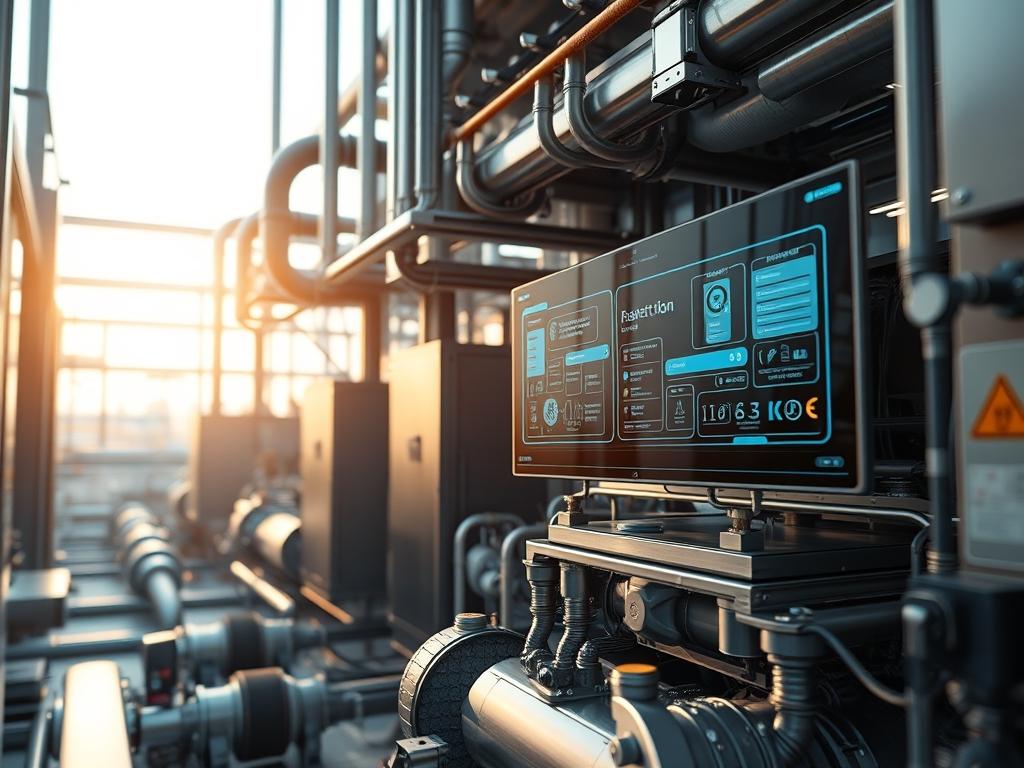
Refrigerant Charge Verification is a critical diagnostic process within the infrastructure of industrial cooling and thermal management systems. In large scale environments such as hyperscale data centers, chemical processing plants, and cold storage logistics, the precision of a refrigerant charge directly dictates the energy efficiency and mechanical longevity of the thermal stack. This process serves as the bridge between theoretical design capacity and actual operational throughput. When a system is undercharged, the evaporator surface area is underutilized; this leads to increased latency in heat rejection and forces compressors to run at higher frequencies. Conversely, overcharging leads to liquid slugging and excessive head pressure, which increases the mechanical overhead and risks catastrophic hardware failure. By implementing rigorous Refrigerant Charge Verification, system architects ensure that the thermal-inertia of the facility remains within the designed parameters, providing a stable foundation for the high density compute or industrial payloads they support.
Technical Specifications
| Requirement | Default Port/Operating Range | Protocol/Standard | Impact Level (1-10) | Recommended Resources |
| :— | :— | :— | :— | :— |
| Pressure Monitoring | 0 to 500 PSIG | MODBUS RTU | 9 | ST-500-Transducer |
| Temperature Sensing | -40C to 150C | 4-20mA Analog | 8 | K-Type-Thermocouple |
| Data Integration | Port 502 (Modbus) | IEEE 802.3 (Ethernet) | 7 | 2GB RAM / 1.2GHz CPU |
| Charge Accuracy | +/- 0.5 Percent | ASHRAE Standard 15 | 10 | NIST-Calibrated-Scale |
| System Logic | 24V DC Logic | NEC Class 2 | 8 | PLC-Logic-Controller |
The Configuration Protocol
Environment Prerequisites:
Verification requires a stabilized thermal environment where the system has reached a steady state of operation. The industrial facility must comply with EPA-Section-608 for refrigerant handling and ASHRAE-34 for safety classification. The underlying network infrastructure must support TCP/IP for data logging, and the administrative user must have sudo privileges on the SCADA-Gateway to modify polling intervals and alarm thresholds. Hardware dependencies include a Fluke-789-ProcessMeter for loop calibration and high precision Pressure-Transducers installed at the liquid line and suction line service ports.
Section A: Implementation Logic:
The engineering design for charge verification relies on the thermodynamic relationship between pressure and temperature. By measuring the subcooling of the liquid line and the superheat of the suction line, the system architect can determine the mass of the refrigerant currently circulating within the loop. The logic is idempotent; repeated measurements under identical load conditions must yield identical results to ensure sensor reliability. The objective is to minimize the signal-attenuation of analog sensors while maximizing the data throughput to the Logic-Controller. We prioritize the calculation of subcooling for systems with a Thermostatic-Expansion-Valve (TXV) and superheat for fixed orifice systems, as these metrics provide the most accurate representation of the internal payload balance without requiring a full system evacuation.
Step-By-Step Execution
1. Initialize Controller Interface
Access the primary SCADA-Gateway via SSH and verify the status of the data ingestion service. Run the command systemctl status thermal-monitor.service to ensure the polling daemon is active.
System Note: This action checks the health of the software kernel responsible for translating MODBUS registers into human readable values. If the service is inactive, the system cannot log the real time thermal-inertia of the refrigerant loop.
2. Calibrate Pressure Transducers
Connect the Fluke-Multimeter to the Pressure-Transducer signal wires and verify the 4-20mA loop integrity. Use the command chmod +x calibrate_sensors.sh && ./calibrate_sensors.sh –id=PT-01 to reset the baseline zero offset.
System Note: This ensures that the physical analog signal is properly mapped to the digital register in the PLC. It eliminates the risk of data drift that could lead to an incorrect charge diagnosis.
3. Deploy Thermal Couples for Subcooling
Attach a K-Type-Thermocouple to the liquid line at the outlet of the condenser coil. Secure the sensor with thermal paste and insulation to prevent ambient air interference. Use the Logic-Controller UI to map this input to the Liquid-Line-Temp variable.
System Note: Physical contact between the sensor and the copper line is vital to reduce measurement latency. Inaccurate positioning causes a false high subcooling reading, suggesting a higher charge than actually present.
4. Monitor Suction Line Saturation
Open the Liquid-Crystal-Display on the Ref-Test-Unit and select the specific refrigerant type (e.g., R-410A or R-134a). Observe the suction pressure and cross reference it with the saturated evaporation temperature.
System Note: This step establishes the low side baseline. The Logic-Controller uses internal lookup tables to perform a conversion from pressure to temperature, which is a computationally light but mission critical payload for the processor.
5. Calculate Real-Time Superheat
The system must now subtract the saturated evaporation temperature from the actual temperature measured at the suction line. Run tail -f /var/log/thermal_calc.log to see the live delta being processed by the system.
System Note: If the superheat is too low, the compressor is at risk of liquid ingestion. High superheat indicates a starved evaporator, often a result of low refrigerant charge or high signal-attenuation in the expansion valve control loop.
6. Perform Mass Flow Verification
For large scale systems, use an industrial Coriolis-Flow-Meter to measure the actual mass flow of the refrigerant in lbs/min. Update the configuration file at /etc/thermal/flow_params.conf to include the meter’s K-factor.
System Note: The mass flow data provides the highest level of verification. It reveals whether the compressor’s volumetric efficiency is being compromised by non condensable gases or internal bypass leakage.
Section B: Dependency Fault-Lines:
Software conflicts frequently arise when the MODBUS polling frequency exceeds the physical response time of the transducers, leading to packet-loss in the serial chain. On the mechanical side, a common bottleneck is the fouling of the condenser coils; this introduces a thermal resistance that mimics an overcharged state. If the Logic-Controller receives erratic data, check the shielding on the RS-485 cable to mitigate electromagnetic interference. Furthermore, version mismatches between the PLC-Firmware and the SCADA-Human-Machine-Interface can cause the encapsulation of data packets to fail, resulting in “NaN” values on the dashboard.
THE TROUBLESHOOTING MATRIX
Section C: Logs & Debugging:
When a fault is detected, the first point of analysis should be the /var/log/refrigerant/error.log file. Common error strings include “ALM_04_LOW_SUBCOOL” or “ALM_09_HP_CUTOUT”. If the “ALM_04” code appears, verify the liquid line temperature sensor; a detached sensor will report an ambient value, throwing off the subcooling calculation.
Visual cues on the Logic-Controller often indicate the root cause. A flashing yellow “COMM” LED indicates high packet-loss on the network, likely due to a loose RJ45 connection or signal-attenuation from long cable runs exceeding 100 meters. If the pressure readings are static despite system load changes, execute cat /proc/thermal_bus/device_01 to check if the register is frozen or if the device has lost its assigned address. For physical hardware debugging, use a thermal imaging camera to look for temperature gradients across the filter drier; a significant drop indicates a restriction, which can be misidentified by software as a low charge.
OPTIMIZATION & HARDENING
– Performance Tuning: To optimize the system, adjust the concurrency of the sensor polling cycles. By staggering the requests to the liquid line and suction line sensors, you reduce the instantaneous overhead on the Logic-Controller CPU. This allows for higher throughput of data during critical transient states, such as a compressor ramp up.
– Security Hardening: Secure the SCADA network by implementing VLAN-Segmentation to isolate thermal traffic from the general corporate network. Apply strict iptables rules to the SCADA-Gateway to permit only authorized IP addresses to access the MODBUS port. Ensure that all physical access to the Refrigerant-Manifold service ports is locked to prevent unauthorized venting or tampering.
– Scaling Logic: As the facility expands, the verification infrastructure should follow an idempotent deployment model. Use configuration management tools like Ansible to push uniform threshold settings across all Logic-Controllers. This ensures that as you add more cooling modules, the charge verification logic remains consistent, preventing “configuration drift” where different units operate under different thermal assumptions.
THE ADMIN DESK
How do I handle a “Sensor-Timeout” error?
Check the physical connection at the Logic-Controller first. If the wiring is secure, restart the polling service using systemctl restart mbusd. If the error persists, the transducer has likely reached its end-of-life cycle and requires replacement.
Why is my subcooling reading negative?
Negative subcooling is physically impossible; it indicates a calibration error. Ensure the Pressure-Transducer and Thermocouple are matched to the same point in the loop. Use the idempotent calibration script to reset the sensor offsets.
What causes high latency in the SCADA dashboard?
High latency is usually a result of excessive network overhead or packet-loss on a congested MODBUS trunk. Reduce the polling frequency from 100ms to 500ms in the thermal-monitor.conf file to alleviate the processing load on the gateway.
How often should I verify the refrigerant charge?
Industrial systems should undergo verification quarterly. However, if the logs show a trend of increasing thermal-inertia or if the compressor’s throughput drops by more than 5 percent, an immediate out-of-cycle verification is mandated to prevent mechanical failure.
Can I automate the charge replenishment process?
Automated charging is possible via a Solenoid-Controlled-Manifold integrated into the PLC. However, this requires strict encapsulation of the safety logic to prevent overcharging. Always set a maximum payload limit within the software to trigger an emergency shutoff.