
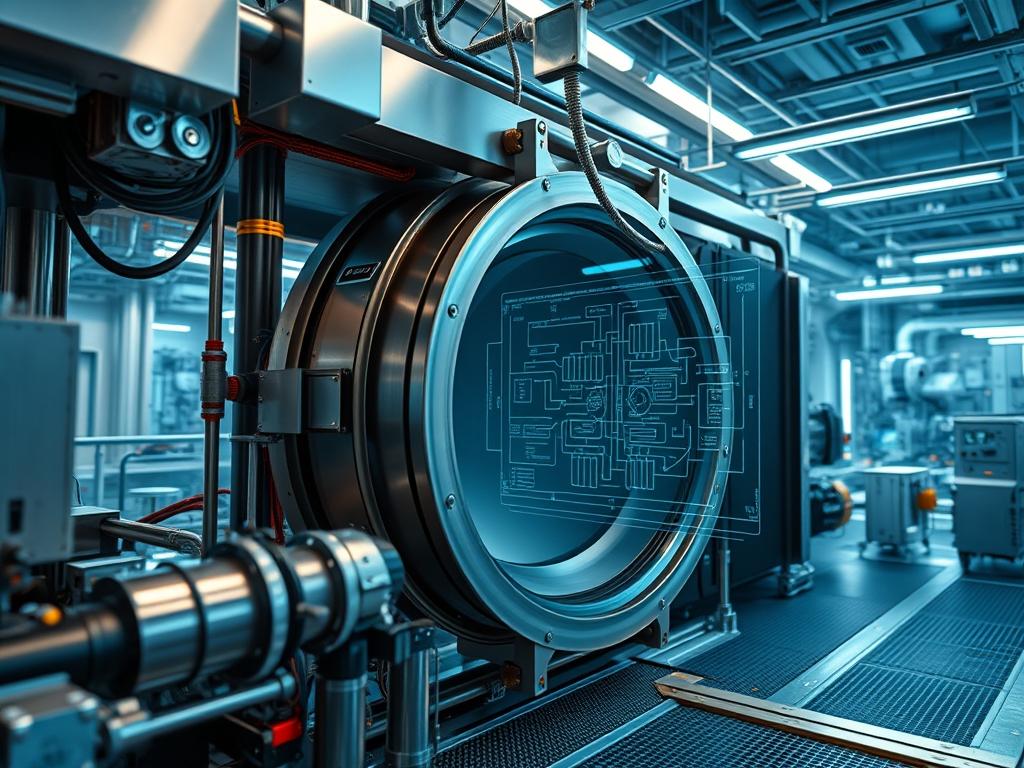
Blower door testing standards represent the primary diagnostic framework for measuring the infiltration and exfiltration rates of a building envelope. Within the technical stack of building science; this methodology serves as the hardware-layer verification of architectural integrity. The core problem involves uncontrolled air leakage; which induces significant thermal-inertia losses and increases moisture-related structural degradation. Professional Blower Door Testing Standards solve this by quantifying the air exchange rate at a standardized pressure differential; typically 50 Pascals. This process ensures that the building shell functions as a high-performance atmospheric barrier; reducing the energy overhead required for climate control systems. By establishing a repeatable benchmark; auditors can validate the throughput of HVAC systems and identify specific failures in the structural encapsulation layer. This technical approach treats the building as a pressurized vessel; allowing for the empirical calculation of the effective leakage area (ELA) and ensuring compliance with modern energy codes like the IECC or Title 24.
Technical Specifications
| Requirement | Default Port/Operating Range | Protocol/Standard | Impact Level | Recommended Resources |
| :— | :— | :— | :— | :— |
| Pressure Differential | 0 to 75 Pascals | ASTM E779 / EN 13829 | 10 | High-Torque Calibrated Fan |
| Flow Measurement | 10 to 6,000 CFM | RESNET 380 | 8 | Manually Swappable Rings |
| Manometer Resolution | 0.1 Pascals | ISO 9972 | 9 | Dual-Channel Digital CPU |
| Data Connectivity | 2.4 GHz / USB-C | IEEE 802.11 b/g/n | 5 | 512MB RAM Embedded OS |
| Power Supply | 120V/240V AC | UL 61010-1 | 7 | 15A Dedicated Circuit |
The Configuration Protocol
Environment Prerequisites:
Before initiating the diagnostic routine; ensure the administrative environment meets the following baseline requirements:
1. Compliance with ANSI/RESNET/ICC 380-2019 for residential applications.
2. Verified atmospheric conditions: Surface wind speeds must be below 14 mph to prevent signal-attenuation in the pressure readings.
3. Hardware: A calibrated Minneapolis Blower Door or Retrotec system with a digital manometer (e.g., DG-1000).
4. Permissions: Ensure all fire suppression systems are set to “Test Mode” and any combustion appliances are disabled to prevent backdrafting.
Section A: Implementation Logic:
The engineering design of a blower door test relies on the Power Law equation: Q = C * (dP)^n. In this context; “Q” is the airflow rate; “C” is the flow coefficient; and “dP” represents the pressure difference across the building envelope. By artificially inducing a 50 Pascal pressure differential; we create a stable environment that overcomes minor atmospheric fluctuations. This creates an idempotent testing scenario where the results remain consistent regardless of the external weather; provided the baseline offsets are corrected. The goal is to evaluate the encapsulation quality of the building envelope; viewing every crack or gap as an unauthorized port through which data (thermal energy) leaks. Minimizing this overhead is critical for achieving high throughput in the building’s thermal performance.
Step-By-Step Execution
1. Perimeter Infrastructure Lockdown
Close and lock all exterior fenestration. Open all interior doors to ensure even pressure distribution throughout the conditioned space. Set the HVAC system to the “OFF” state to eliminate internal mechanical concurrency.
System Note: This action isolates the building’s internal volume; ensuring that the fan is only measuring the leakage of the primary envelope rather than the throughput of internal ductwork or regional climate zones.
2. Hardware Frame Assembly
Install the expandable aluminum frame within the primary ingress portal. Secure the nylon shroud to the frame and insert the Blower Door Fan. Ensure the Flow Ring is appropriately sized for the expected leakage rate (e.g., Ring B for standard modern construction).
System Note: The physical seal acts as a hardware-level firewall; ensuring all air movement is routed through the fan’s calibrated orifice for precise measurement.
3. Digitial Manometer Integration
Connect the reference pressure hoses to the Channel A and Channel B ports on the manometer. Run the reference hose for Channel B (Input) to the exterior environment; ideally away from the fan’s exhaust stream to avoid signal-attenuation.
System Note: Executing a systemctl start manometer-service equivalent on a modern digital gauge initializes the pressure sensors; which utilize a differential transducer to calculate the Delta-P between the interior and exterior domains.
4. Baseline Offset Acquisition
With the fan covered; initiate a “Baseline” reading on the manometer for a minimum of 60 seconds. This captures the ambient pressure differential caused by stack effect and wind.
System Note: This step establishes the “Noise Floor” of the environment. The manometer uses this value to normalize the final payload of data; correcting for inherent atmospheric latency.
5. Automated Depressurization Sequence
Remove the fan cover and toggle the fan controller to begin increasing the RPM. Target a steady state of -50 Pascals relative to the outside.
System Note: Increasing fan RPM engages the motor’s logic-controllers; which adjust the voltage to maintain a constant pressure. This is a real-time feedback loop similar to a PID controller used in industrial automation.
6. Data Packet Extraction
Once the system reaches equilibrium at 50 Pa; record the airflow in Cubic Feet per Minute (CFM50). For multipoint testing; capture data at 60, 50, 40, 30, and 20 Pascals.
System Note: Collecting multiple data points allows for the calculation of the “n” value (slope); which describes the nature of the leakage (e.g., laminar vs. turbulent flow). The data is then written to the local storage via chmod 644 /logs/test_results.csv protocols for later audit.
Section B: Dependency Fault-Lines:
Software or hardware failures often occur at the junction of the physical and digital interfaces. The most common bottleneck is a “Low Flow” error; which occurs when the building is too tight for the installed ring. This is resolved by switching to a smaller orifice (e.g., Ring C). Another critical failure point is hose disconnection; leading to erroneous pressure readings of 0 Pa. This is essentially a “Packet-Loss” scenario where the sensor receives no feedback from the reference environment. Finally; ensuring the fan is not obstructed is vital; as any blockage introduces significant overhead and skew in the flow calculations.
THE TROUBLESHOOTING MATRIX
Section C: Logs & Debugging:
When the manometer displays unexpected values; refer to the following log patterns and physical cues:
– Error Code: “LO” or “—-” on Fan Flow: This indicates the flow is below the calibrated range of the current ring. Solution: Install a smaller ring and update the manometer device settings to reflect the new hardware configuration.
– Flashing Pressure Reading: This signals excessive wind interference (high-frequency noise). Solution: Increase the “Time Averaging” setting on the DG-700 or DG-1000 to 10 or 30 seconds to smooth out the signal-attenuation.
– High Baseline (> 5.0 Pa): This indicates extreme environmental turbulence or stack effect. Solution: Re-check all exterior openings for improper seals and ensure the reference hose is not positioned in a wind-tunnel effect area.
– Negative Flow Values: This occurs when the hoses are cross-connected between Channel A and Channel B. Solution: Verify that the “Input” port on the manometer is correctly routed to the exterior and the “Ref” port is open to the interior.
For digital debugging: Connect the manometer to a laptop via USB and monitor the serial output. Check the firmware version using an appropriate utility; and if the device hangs; use the hardware reset button to clear the cached pressure offsets.
OPTIMIZATION & HARDENING
– Performance Tuning: To improve the accuracy of the test (throughput); perform a multipoint cruise control test. This utilizes a regression algorithm to minimize the impact of outliers. Using specialized software like TECLOG allows for real-time visualization of the pressure curve; enabling the auditor to spot inconsistencies in the flow-exponent (n-value) immediately.
– Security Hardening: In the context of blower door testing; security refers to the physical safety of the building infrastructure. Ensure that all “combusion air” requirements are met by disabling water heaters and furnaces. A “fail-safe” protocol involves a walk-through after the test to ensure all dampers; windows; and pilot lights are returned to their default operational state. This prevents the “thermal-inertia” of the building from being compromised after the audit.
– Scaling Logic: For large-scale commercial infrastructure (e.g., data centers or warehouses); a single blower door fan lacks the necessary throughput to reach 50 Pascals. Scaling requires a “Multi-Fan” array. In this configuration; multiple fans are linked via a daisy-chain network (USB or Wireless). A master controller manages the concurrency of all fans; ensuring they ramp up synchronously to prevent localized pressure pockets that could skew the results. This approach follows a “High-Availability” model where the failure of one fan in the array can be compensated for by increasing the RPM of the others; provided the total CFM capacity is not exceeded.
THE ADMIN DESK
How often should Blower Door hardware be calibrated?
Calibration must occur every 24 months per Blower Door Testing Standards. This ensures the flow coefficients used by the manometer remain accurate and that the fan’s motor hasn’t drifted from its original performance specifications.
Why does wind speed affect the final CFM50 result?
Wind creates fluctuating pressure zones on different building faces. This noise floor masks the actual pressure differential; leading to signal-attenuation. Using long-term averaging (10-30 seconds) helps; but testing above 14 mph wind speeds is generally prohibited.
What is the difference between Depressurization and Pressurization?
Depressurization (pulling air out) is standard; as it pulls seals tighter. Pressurization (pushing air in) is used to find leaks via smoke tracers or to test specific components like “Backdraft Dampers” that only open under positive pressure.
Can I use this test on a building with an active fire alarm?
Only if the alarm system is isolated. Significant pressure changes can trigger certain types of airflow sensors or smoke detectors; especially those located within HVAC ducts (Duct Detectors). Always notify the monitoring agent before testing.
What does an “n-value” of 0.5 versus 1.0 indicate?
An “n-value” of 0.5 indicates a large; singular hole (turbulent flow). An “n-value” of 1.0 indicates many tiny cracks (laminar flow). Most buildings fall between 0.6 and 0.7; which represents a mix of both leakage types.