
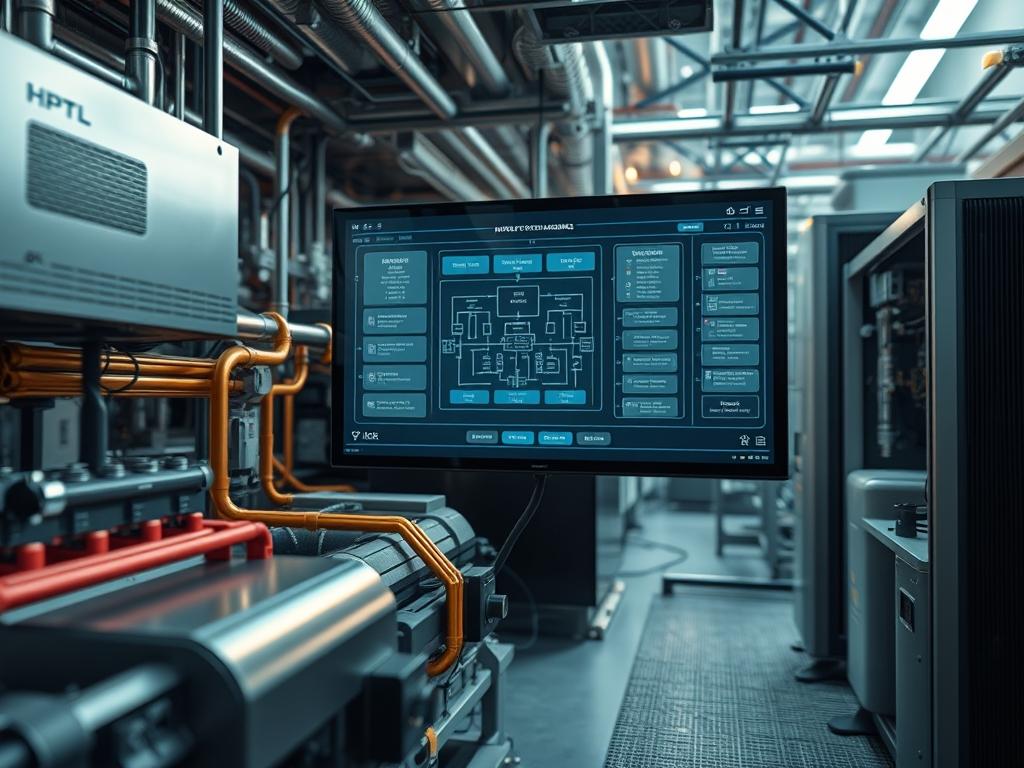
HVAC System Event Archiving functions as the critical evidentiary layer within contemporary building management systems. It serves as the bridge between fluctuating physical states and digital accountability; it ensures that every state change in a chiller, air handling unit, or variable air volume box is captured for forensic analysis and performance auditing. In the broader technical stack, HVAC System Event Archiving resides within the industrial control system (ICS) layer, interfacing directly with Energy Management Systems (EMS) and cloud-based analytics platforms. The primary problem addressed by high-fidelity archiving is the ephemeral nature of sensor data: without structured persistence, transient faults like pressure surges or thermal runaway events vanish from the record, leaving engineers unable to perform root cause analysis. By implementing a standardized archiving protocol, facilities transition from reactive maintenance to a predictive, compliant infrastructure model. This solution ensures that mechanical performance aligns with local energy regulations and international standards, such as ASHRAE 90.1 or ISO 50001; it provides the granular visibility required to mitigate high latency in control loops and reduce overall energy overhead.
Technical Specifications
| Requirement | Default Port/Range | Protocol/Standard | Impact Level | Recommended Resources |
| :— | :— | :— | :— | :— |
| Telemetry Ingress | Port 47808 | BACnet/IP | 10 | 4 Virtual CPUs |
| Register Polling | Port 502 | Modbus/TCP | 9 | 8GB ECC RAM |
| Secure Archiving | Port 8883 | MQTT over TLS | 7 | SSD (NVMe Preferred) |
| State Verification | 24V DC / 4-20mA | IEEE 802.3at | 8 | Cat6a Shielded |
| Database Sync | Port 5432 | PostgreSQL/Timescale | 9 | 100GB Boot Volume |
| API Integration | Port 443 | REST/JSON | 6 | 1Gbps NIC |
The Configuration Protocol
Environment Prerequisites
Successful implementation of HVAC System Event Archiving requires a host environment running Linux Kernel 5.4 or higher to ensure compatibility with modern industrial I/O schedulers. The system must have OpenSSL 3.0 installed for secure payload encapsulation during data transit. Users must possess sudo or root level permissions to modify network stack parameters and define persistent service units. On the hardware layer, all logic controllers must adhere to UL 60730-1 standards; all field wiring must comply with NEC Class 2 circuit requirements. Ensure that the NTP (Network Time Protocol) daemon is synchronized with a Stratum 1 time source to prevent timestamp drift, which creates catastrophic failures in sequence-of-event logging.
Section A: Implementation Logic
The engineering design of a robust HVAC System Event Archiving architecture centers on the concept of idempotent data ingestion. Because field sensors often experience signal-attenuation or transient packet-loss due to electromagnetic interference, the archiver must treat every incoming packet as a unique, immutable record. The logic follows a three-tier structure: ingestion, normalization, and persistence. During ingestion, the system must account for thermal-inertia; temperature changes do not occur instantaneously, so sampling rates are throttled to balance granularity with storage overhead. Normalization converts raw voltage or register values into human-readable units like Celsius or Pascals. Finally, persistence utilizes a time-series database to handle high concurrency, ensuring that simultaneous events from hundreds of sensors do not result in a deadlock or data corruption. This design minimizes the performance impact on the primary control CPU while maximizing the reliability of the historical record.
Step-By-Step Execution
1. Initialize the Archival Logic Controller
Execute the command mkdir -p /opt/hvac-archiver/bin to create the application directory. Following this, set the execution permissions using chmod +x /opt/hvac-archiver/bin/daemon.py.
System Note: This action establishes the primary binary path within the file system hierarchy; it ensures that the archival service has a non-volatile location for operation, preventing the kernel from flagging the process as a transient or unauthorized execution.
2. Define the BACnet/IP Interface
Navigate to /etc/network/interfaces.d/ and create a configuration file named hvac-vlan. Insert the static IP configuration and apply it using systemctl restart networking.
System Note: By assigning a dedicated virtual network interface for HVAC System Event Archiving, you isolate building automation traffic from general management traffic. This reduces collision domains and prevents high-concurrency network bursts from impacting the primary archive throughput.
3. Provision the Time-Series Data Schema
Log into the database shell using psql -U admin -d hvac_events and execute the command CREATE EXTENSION IF NOT EXISTS timescaledb;. Define the hypertable for sensor readings to optimize for long-term storage.
System Note: Converting a standard table into a hypertable allows the database to partition data by time intervals. This significantly reduces the overhead associated with indexing millions of HVAC events and improves query performance during diagnostic audits.
4. Configure the Modbus Register Mapping
Edit the configuration file located at /etc/hvac-archiver/modbus_map.yaml. Use a fluke-multimeter to verify physical terminal voltages before mapping the 4-20mA signals to their respective software registers in the map.
System Note: Precise register mapping ensures that the archiver correctly interprets the payload from the logic controllers. This step eliminates discrepancies between the physical state of the chiller and the digital record stored in the archive.
5. Establish the Systemd Persistence Unit
Create a unit file at /etc/systemd/system/hvac-archiver.service with the parameter Restart=always. Enable the service with systemctl enable hvac-archiver and start it with systemctl start hvac-archiver.
System Note: Defining a systemd service allows the kernel to monitor the health of the archiving process. If the process crashes due to a memory leak or a malformed payload, the kernel will automatically restart the service, maintaining 99.9% uptime for compliance logs.
6. Verify Signal Integrity and Sampling Rates
Run the diagnostic tool tcpdump -i eth1 port 47808 to monitor the ingress of BACnet packets. Compare the packet arrival rate against the configured sampling frequency in the archiver’s dashboard.
System Note: This verification step monitors for packet-loss and signal-attenuation at the network level. It confirms that the mechanical hardware is successfully communicating with the digital archive, ensuring that no event remains unlogged.
Section B: Dependency Fault-Lines
The most frequent failure point in HVAC System Event Archiving is clock desynchronization between the gateway and the local energy meter. When the time-series database receives a packet with a future timestamp, it may reject the payload, leading to a gap in the record. Another common bottleneck is I/O wait times on the storage disk. If the archiver is writing to a high-latency mechanical drive rather than an SSD, the buffer will eventually overflow, causing a loss of concurrency and dropping live events. Furthermore, library conflicts between Python dependencies and the system-wide C libraries can lead to segmentation faults during high throughput periods. Always utilize a virtual environment or a containerized execution model to isolate these dependencies from the core operating system libraries.
THE TROUBLESHOOTING MATRIX
Section C: Logs & Debugging
When diagnosing failures within the HVAC System Event Archiving stack, the primary log file is located at /var/log/hvac/event-stream.log. This log captures errors such as CONNECTION_REFUSED or REGISTER_OUT_OF_RANGE. Physical hardware faults are often indicated by specific codes on the logic-controller LED panel; for example, a blinking red light may indicate a loop-back error or a short circuit in the RS-485 wiring.
To debug network-level issues, use the following diagnostic paths:
1. Network Jitter: Use ping -i 0.2 [Gateway_IP] to check for latency spikes. High jitter causes archived events to appear out of sequence.
2. Database Locks: Execute SELECT * FROM pg_stat_activity; to identify blocked processes. This is often caused by long-running analytical queries interfering with real-time archive writes.
3. Sensor Drift: Access the raw data path at /sys/class/thermal/ to compare kernel-level temperature readings with the values stored in the archive. If a discrepancy exists, the fault lies in the normalization logic or the encapsulation of the data packet.
OPTIMIZATION & HARDENING
Performance Tuning
To increase the throughput of the archiving process, modify the I/O scheduler by executing echo deadline > /sys/block/sda/queue/scheduler. This prioritizes write operations, which is essential for high-frequency sensor logging. For systems managing over 1,000 points, adjust the concurrency limits in the database configuration; set max_connections to 200 and increase the shared_buffers to 25% of the total system RAM. This ensures that the system can handle bursts of activity during a facility-wide power cycle or emergency shutdown without dropping critical event packets.
Security Hardening
Physical and digital security are paramount for HVAC System Event Archiving. Direct access to the archiving gateway should be restricted using nftables or iptables rules that permit traffic only from known controller IPs. Disable all unused ports and services to reduce the attack surface. On the hardware side, ensure that all logic-controllers are housed in a locked, NEMA-rated enclosure to prevent unauthorized physical tampering with the Modbus or BACnet wiring. Implement TLS 1.3 for all outbound cloud synchronization to protect the payload from interception.
Scaling Logic
As the facility grows, the HVAC System Event Archiving setup must scale horizontally. This is achieved by deploying multiple edge gateways that act as local aggregators. These gateways handle the immediate ingestion and normalization of local sensor data before forwarding a compressed, encrypted stream to a centralized master archive. Using a distributed message broker like Mosquitto or RabbitMQ allows for the decoupling of data producers from consumers, ensuring that a failure in the central database does not stop the edge gateways from caching local event data.
THE ADMIN DESK
How do I recover missed data after a network outage?
The archiving daemon maintains a local SQLite buffer. Once the connection is restored, it performs an idempotent sync to the master database. Check /var/lib/hvac/buffer.db to verify the cache size and trigger a manual synchronization if necessary.
Why are my timestamps off by exactly five hours?
This indicates a mismatch between the UTC system clock and the local timezone settings of the logic-controller. Configure both the gateway and the sensing hardware to use UTC to ensure consistency across the archival record and simplify audit compliance.
What is the maximum recommended sampling rate for VFDs?
For Variable Frequency Drives, a sampling rate of 1Hz (one sample per second) is typically sufficient to capture frequency shifts without overwhelming the database. For critical safety alarms, utilize event-based triggers rather than constant polling to reduce network overhead.
How do I clear the “Disk Full” error on the archiver?
Verify the log rotation settings in /etc/logrotate.d/hvac. Ensure that old archive files are compressed or moved to long-term cold storage. Use the command du -sh /var/log/hvac/ to identify which specific logs are consuming excessive space.
Can I archive data from legacy Modbus RTU sensors?
Yes, but you must use a Modbus RTU-to-TCP gateway. The archiver interfaces with the gateway’s IP address. Ensure that the serial-to-ethernet conversion logic does not introduce excessive latency that would invalidate the archival timestamps.