
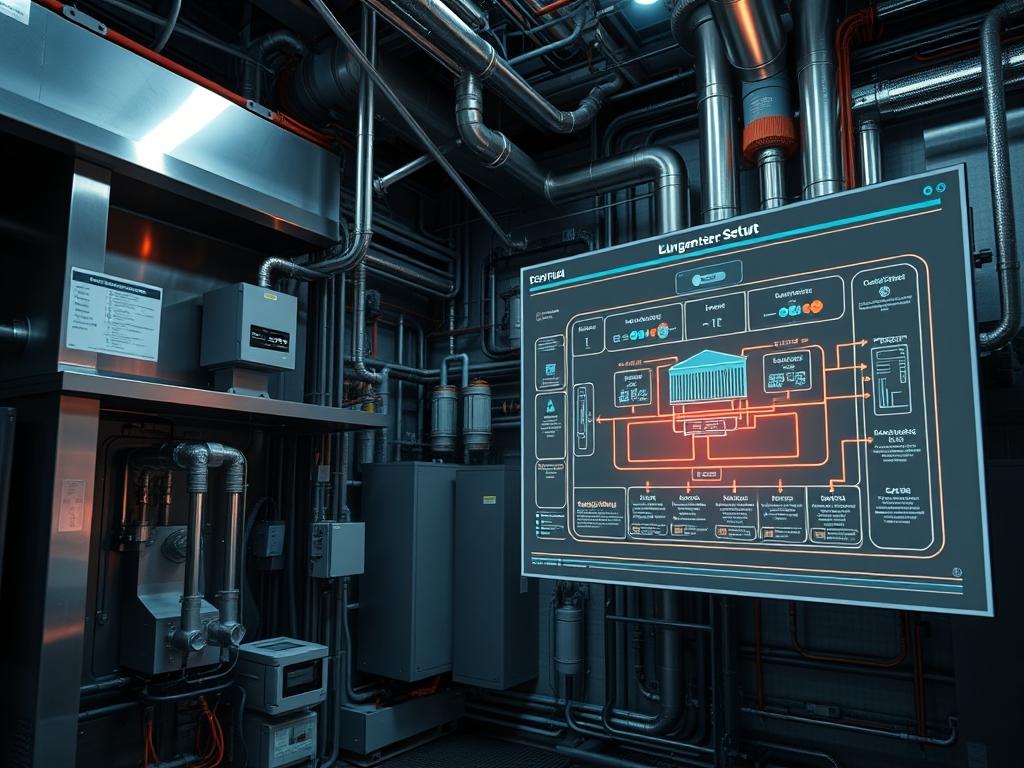
The integration of an HVAC Submetering Setup into a modern facility control architecture is a prerequisite for granular energy accountability and operational auditing. Standard utility-grade metering provides a coarse view of total facility consumption; however, it lacks the resolution required to isolate departmental inefficiencies or manage high-fidelity cost-recovery models. This setup functions as a bridge between the physical thermal load of Air Handling Units (AHUs), Chillers, and Fan Coil Units (FCUs) and the digital oversight layer of a Building Management System (BMS) or Energy Management System (EMS). By capturing localized electrical data such as voltage, amperage, and power factor at the circuit level, organizations can mitigate thermal-inertia issues and optimize peak-load distribution. The implementation addresses the “Problem-Solution” context where departmental budget silos require precise billing for energy utilization that is otherwise obscured by centralized HVAC infrastructure. Precise metering allows for the identification of ghost loads and inefficient cycling patterns that increase the total cost of ownership (TCO) for mechanical assets.
TECHNICAL SPECIFICATIONS
| Requirement | Default Port / Operating Range | Protocol / Standard | Impact Level (1-10) | Recommended Resources |
| :— | :— | :— | :— | :— |
| Power Metering | 0.5% to 0.1% Accuracy | ANSI C12.20 / IEC 62053-22 | 10 | 18-bit ADC Processor |
| Communication | Port 502 (TCP) / Port 47808 (UDP) | Modbus RTU/TCP / BACnet IP | 8 | 256MB RAM Gateway |
| Current Transformers | 5A to 5000A Scaling | 333mV or 5A Secondary | 9 | Split-core Silicon-Steel |
| Signal Stability | -20C to +70C Range | RS-485 Shielded TP | 7 | 120-Ohm Termination |
| Data Processing | 1s – 15min Sampling | JSON / MQTT Encapsulation | 6 | Quad-core ARM Cortex |
THE CONFIGURATION PROTOCOL
Environment Prerequisites:
Before initiating the HVAC Submetering Setup, the lead engineer must ensure compliance with National Electrical Code (NEC) standards and IEEE 519 for harmonic limits. Hardware dependencies include class-certified split-core Current Transformers (CTs), a Logic-Controller with Modbus capabilities, and a dedicated Energy Gateway for data backhaul. Software requirements include a Linux-based environment (Ubuntu 22.04 LTS or similar) with Python 3.10+, PyModbus libraries, and systemd for service management. User permissions must allow for the execution of sudo commands for port binding and serial interface access (dialout group membership).
Section A: Implementation Logic:
The engineering design relies on the principle of differential energy auditing. By placing meters at both the primary distribution board and individual HVAC sub-panels, we can perform real-time calculation of departmental “shares” of the thermal load. The system treats each HVAC component as a discrete node. The logic-controller polls these nodes via Modbus RTU, extracting a payload of registers that represent real power (kW) and energy (kWh). This data is then normalized to account for signal-attenuation in long RS-485 runs. The logic ensures that data ingestion is idempotent; if a network failure occurs, the local meter buffer prevents data loss, ensuring the integrity of the departmental billing record once connectivity is restored.
Step-By-Step Execution
1. Mounting and Phase Alignment of Current Transformers (CTs)
The technician must install the Current Transformers (CTs) around the L1, L2, and L3 conductors of the HVAC feeder. Use a fluke-multimeter to verify that the polarity is correct; the “Arrow” on the CT must point toward the load. Incorrect orientation will result in negative power readings and skewed departmental data.
System Note: This physical integration affects the hardware abstraction layer. Correct alignment prevents phase-angle errors that increase the mathematical overhead during the conversion from raw analog signal to digital value within the logic-controller.
2. Addressing and Wiring the RS-485 Daisy Chain
Connect the meters in a serial daisy chain using shielded twisted-pair cabling. Each meter in the HVAC Submetering Setup must be assigned a unique Slave ID (1-247). Ensure that the last device in the chain has a 120-ohm termination resistor installed across the A/B terminals to prevent signal reflection.
System Note: This step manages the physical communication layer. Proper termination reduces packet-loss and increases the maximum throughput of the serial bus, especially in environments with high electromagnetic interference from VFDs.
3. Gateway Provisioning and Serial Port Configuration
Initialize the Edge IoT Gateway and configure the serial interface parameters. Use the command stty -F /dev/ttyUSB0 9600 parenb -cstopb to set the baud rate to 9600, even parity, and one stop bit. Verify the connection using mbpoll -m rtu -a 1 -b 9600 -P even /dev/ttyUSB0.
System Note: Executing this command configures the underlying Linux kernel serial driver. It ensures that the encapsulation of Modbus frames aligns with the hardware registers, preventing CRC errors during high-concurrency polling cycles.
4. Creating the Persistence Service via systemd
Create a service file at /etc/systemd/system/hvac_meter.service to manage the polling script. This script will execute the data extraction and push the results to a centralized database. Apply permissions using chmod 644 /etc/systemd/system/hvac_meter.service and enable it using systemctl enable hvac_meter.service.
System Note: Utilizing systemd ensures that the metering process is treated as a priority background daemon. It provides automatic restart capabilities in the event of a memory leak or process crash, maintaining high availability for the HVAC Submetering Setup.
5. Data Normalization and API Ingestion
Configure the polling script to format the payload as a JSON object before transmitting it to the API endpoint. Ensure the payload includes a timestamp, the meter ID, and the kWh value. Use curl to test the ingestion: curl -X POST -d @data.json https://api.internal/energy/ingest.
System Note: This step handles the transport layer logic. By structuring the data into standardized JSON, you reduce the processing overhead on the receiving server and ensure that the departmental usage data is ready for immediate insertion into the analytical database.
Section B: Dependency Fault-Lines:
The most frequent failure point in an HVAC Submetering Setup is the serial bus timing. If the “Response Timeout” is set too low for a long daisy chain, the gateway will report timeout errors regardless of the physical connection status. Mechanical bottlenecks also occur when Current Transformers (CTs) are improperly sized; using a 1000A CT for a 10A load leads to significant measurement latency and inaccuracy at the bottom of the scale. Library conflicts between PyModbus and other serial-based applications on the same gateway can lead to resource contention, where the device file /dev/ttyUSB0 becomes locked, halting all data flow to the BMS.
THE TROUBLESHOOTING MATRIX
Section C: Logs & Debugging:
When a specific department displays zero usage despite mechanical activity, the lead auditor must verify the register maps. Check the daemon logs at /var/log/hvac_meter.log for “CRC Error” strings. A CRC error indicates either signal-attenuation or a baud rate mismatch. Use tail -f /var/log/syslog | grep ttyUSB to monitor physical disconnects. If the log shows “Illegal Data Address” (Modbus Exception 02), the HVAC Submetering Setup is attempting to read a register that does not exist in the meter firmware. Cross-reference the meter manual to ensure the variable addresses (e.g., 40001 for Voltage) are correctly mapped in the configuration file located at /etc/metering/config.yaml.
OPTIMIZATION & HARDENING
– Performance Tuning: To increase throughput, implement asynchronous polling. Instead of waiting for Meter 1 to respond before querying Meter 2, use a concurrent execution model in Python. This reduces the total scan time for a 30-meter chain from 15 seconds to under 2 seconds.
– Security Hardening: Secure the gateway by restricting access to the Modbus Port (502). Implement iptables rules: iptables -A INPUT -p tcp –dport 502 -s [BMS_IP] -j ACCEPT. For physical units, ensure that the meter programming port is password-protected to prevent unauthorized modification of multiplying factors.
– Scaling Logic: As the facility expands, utilize Modbus TCP for new departments to avoid the limitations of serial daisy chains. Transitioning to a star-topology via Ethernet reduces the risk of a single cable break disabling the entire HVAC Submetering Setup. Implement a distributed architecture where regional gateways aggregate data before pushing a single, compressed payload to the cloud.
THE ADMIN DESK
How do I recalibrate a meter that reports outlier data?
Access the meter via the front panel or configuration software. Verify the Primary/Secondary CT ratios. If the physical CT is 200:5, ensure the register matches. Use a fluke-multimeter to compare live readings against the digital output to identify drift.
What causes periodic packet-loss in the metering network?
Packet-loss is typically caused by EMI from high-voltage cables. Ensure the RS-485 cable is shielded and that the shield is grounded at only one end. Check for loose terminal connections which cause intermittent resistance spikes and signal degradation.
Is it possible to track “Virtual Meters” in the setup?
Yes. By using a logic-controller, you can program virtual meters. These perform mathematical operations—such as subtracting a tenant meter from a floor meter—to isolate common area HVAC usage, providing a more granular departmental breakdown.
How do I handle a “Resource Temporarily Unavailable” error?
This indicates the serial port is locked by another process. Use fuser /dev/ttyUSB0 to identify the conflicting PID. Terminate the rogue process and ensure that the systemd service is the sole owner of the serial interface to maintain stability.