
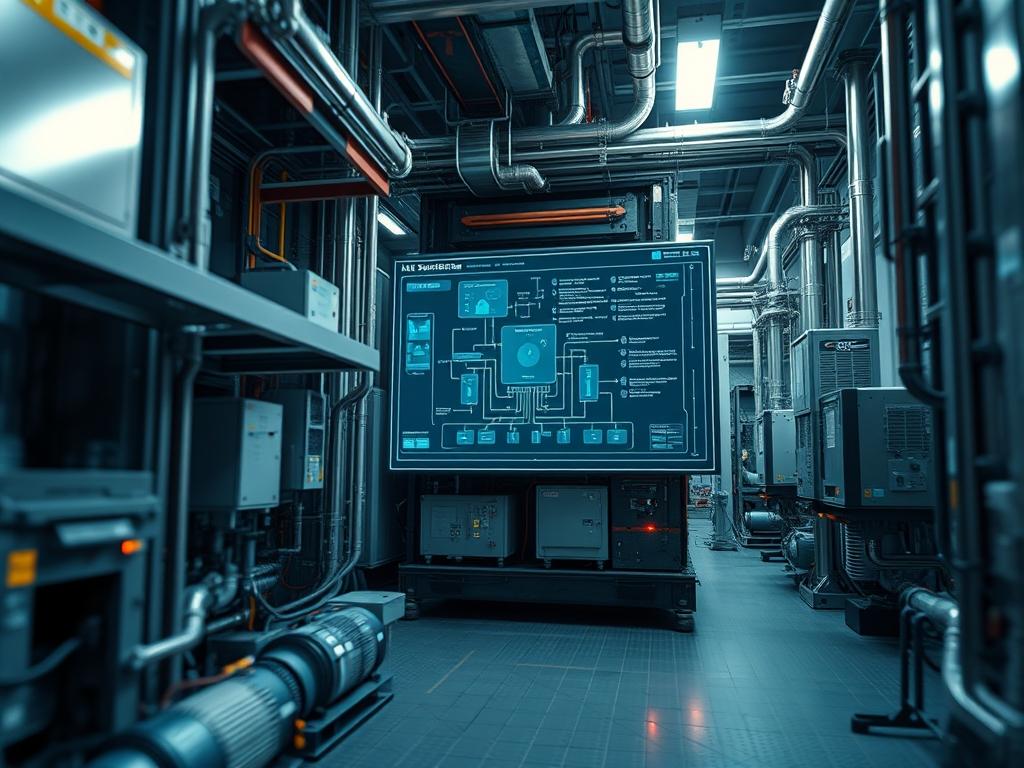
Reliability engineering within modern infrastructure dictates that every mechanical failure must be treated as a data point. HVAC System Downtime Logs serve as the primary telemetry source for assessing environmental stability in high-density data centers, manufacturing plants, and healthcare facilities. These logs are not merely historical records; they are the interface between physical thermal dynamics and digital uptime requirements. In a tiered infrastructure stack, the HVAC system occupies the foundational layer, directly influencing the reliability of the compute and storage layers above it. When an cooling failure occurs, the resulting thermal-inertia can bridge the gap between operational stability and catastrophic hardware degradation within minutes. Documenting these events requires a precise capture of the failure duration, the specific fault-codes generated by logic-controllers, and the physiological responses of the facility. By standardizing the format of HVAC System Downtime Logs, architects can identify recurring bottlenecks, optimize maintenance cycles, and ensure that the cooling infrastructure maintains the necessary throughput to support peak computational loads without introducing excessive overhead or risk.
Technical Specifications
| Requirement | Default Port / Operating Range | Protocol / Standard | Impact Level (1-10) | Recommended Resources |
| :— | :— | :— | :— | :— |
| Telemetry Transport | 47808 (BACnet), 502 (Modbus) | BACnet/IP, Modbus TCP/RTU | 9 | Cat6a Shielded Cable |
| Database Storage | N/A | SQL / NoSQL (Time-Series) | 7 | 2 vCPU, 8GB RAM, NVMe |
| Sensor Accuracy | +/- 0.5 degrees C | IEEE 802.15.4 / NIST | 10 | Industrial Thermistors |
| Network Latency | < 50ms | IEEE 802.3 / TCP-UDP | 6 | 1Gbps Dedicated VLAN |
| Logic Execution | 10ms - 100ms cycle | IEC 61131-3 (ST, LD) | 8 | PLC / DDC Controller |
The Configuration Protocol
Environment Prerequisites:
Reliability documentation requires a hardened environment to ensure log integrity. Ensure the server or gateway hosting the HVAC System Downtime Logs is running a stable Linux kernel such as RHEL 8+ or Ubuntu 22.04 LTS. All Programmable Logic Controllers (PLCs) must adhere to UL 60730-1 standards for safety and reliability. The network must be segmented using a dedicated VLAN (VLAN-ID 50) to prevent industrial traffic from being affected by broadcast storms or external packet-loss. Administrators must possess root or sudo privileges on the logging server and have administrative access to the Building Management System (BMS) software suite.
Section A: Implementation Logic:
The logic governing automated downtime logging is rooted in a state-machine architecture. A system is defined as “Down” when specific environmental variables, such as chilled water flow or supply air temperature, deviate from the defined setpoints for a duration exceeding the configured grace period. This grace period is essential to prevent “flapping,” where minor fluctuations trigger a cascade of false-positive logs. By utilizing an idempotent logging script, the system ensures that even if a network interruption occurs, the final recovery state is recorded accurately without duplicating entries. This approach minimizes the processing overhead on the Direct Digital Control (DDC) units and ensures that the payload delivered to the central database is clean, structured, and ready for analytical processing.
Step-By-Step Execution
1. Initialize the Telemetry Interface
Configure the communication gateway to bridge physical sensor data with the digital logging environment. Use the BACnet-stack toolset to scan for available object identifiers on the network.
Command: bacnet-tools –discovery interface=eth0
System Note: This command initializes the discovery of BACnet objects on the specified interface. It verifies that the hardware is responding to Who-Is and I-Am service requests, establishing the initial handshake between the logging node and the physical assets.
2. Configure Local Log Partitioning
Identify the storage path for raw telemetry and create a dedicated partition to prevent a log-overflow from impacting the system’s root partition.
Command: mkdir -p /var/log/hvac/downtime && mount /dev/sdb1 /var/log/hvac
System Note: By isolating the HVAC System Downtime Logs to a separate disk or partition, you prevent the kernel from crashing if the logs grow unexpectedly. This is a crucial step for maintaining system-wide reliability and ensuring that thermal events do not lead to OS corruption.
3. Establish Threshold Watchdogs
Modify the configuration file located at /etc/hvac/monitor.conf to define what constitutes a failure. Set the threshold_temp and max_latency variables according to the facility’s Service Level Agreements (SLAs).
File Path: /etc/hvac/monitor.conf
System Note: Defining precise variables ensures the system distinguishes between a routine compressor cycle and a legitimate mechanical failure. This reduces noise in the data and improves the signal-to-noise ratio in the performance audits.
4. Deploy the Idempotent Logging Script
Utilize a cron job or a systemd service to run the monitoring script at a frequency of 10 seconds. This frequency balances the need for high-resolution data with the constraint of minimizing CPU throughput.
Command: systemctl enable –now hvac-monitor.service
System Note: Setting the service to start automatically ensures that monitoring begins immediately upon system boot. The systemctl utility provides oversight into the service’s health, allowing it to restart automatically if it encounters a runtime exception.
5. Verify Sensor Calibration with Hardware Tools
Use a Fluke-multimeter or a thermal-imager to verify that the digital sensor output matches the physical reality at the cooling unit’s intake.
Hardware Action: Measure 4-20mA loop current at the controller.
System Note: Physical verification ensures that signal-attenuation in long wire runs is not masquerading as a cooling failure. If the current is below 4mA, the system logs a “Sensor Fault” rather than a “Downtime Event,” allowing for more accurate troubleshooting.
Section B: Dependency Fault-Lines:
Effective documentation is often hindered by common technical bottlenecks. High network latency can lead to “ghost” downtime events where the controller is functional but the management server cannot reach it. In large-scale industrial deployments, signal-attenuation due to electromagnetic interference (EMI) from high-voltage motors can corrupt the Modbus register data. Furthermore, library conflicts between different versions of Python or specialized C++ BACnet libraries can prevent the logging service from parsing the data payload correctly. Always verify that the OpenSSL version on the server is compatible with the encryption standards of the gateway to avoid handshake failures during secure transmissions.
THE TROUBLESHOOTING MATRIX
Section C: Logs & Debugging:
When the HVAC System Downtime Logs show gaps or inconsistent data, the first point of investigation should be the system journal.
Command: journalctl -u hvac-monitor -n 100 –no-pager
Look for error strings such as “Connection Timeout” or “CRC Mismatch”. A “Connection Timeout” frequently points to a physical layer failure or a firewall rule blocking port 47808. A “CRC Mismatch” indicates that the data payload was corrupted during transit, often due to a lack of shielding on the communication cable.
If the logs identify a specific hardware fault code, refer to the manufacturer’s documentation via the following directory:
/usr/local/share/hvac/manuals/fault-codes.json
For example, an “E04” error on a Variable Frequency Drive (VFD) usually indicates an overvoltage condition. This should be cross-referenced with the power quality logs to determine if the HVAC downtime was a primary failure or a secondary symptom of a power surge. Verification of sensor readouts can be performed by reading the raw input from the /sys/class/thermal/ directory on localized edge controllers to determine if the kernel is receiving the data before it enters the application layer.
OPTIMIZATION & HARDENING
Performance Tuning:
To maximize the throughput of the logging system, implement concurrency in the data ingestion script. Using asynchronous I/O (such as Python’s asyncio) allows the system to poll multiple controllers simultaneously rather than in a linear sequence. This reduces the time-drift between logs collected from different units. To manage the overhead of large log files, implement automatic compression using logrotate. Move historical logs to cold storage once they exceed 90 days to maintain high performance on the primary database disk.
Security Hardening:
The BMS and HVAC infrastructure are often vulnerable targets for lateral movement within a network. Restrict access to the logging directory using chmod 700 /var/log/hvac and assign ownership to a dedicated service account using chown hvac-user:hvac-group. Implement strict firewall rules using iptables or nftables to only allow incoming traffic on port 47808 from known controller IP addresses. Ensure that all data payloads reaching the logging server are validated for encapsulation errors to prevent injection attacks targeted at the logic-controllers.
Scaling Logic:
As the facility grows, the logging architecture must scale horizontally. Transition from a single server to a clustered database environment where logs are replicated across multiple nodes. Use a load balancer to distribute the telemetry payload from hundreds of sensors across several ingestion workers. This ensures that a failure in one logging node does not result in a loss of historical downtime data. Maintain a master-slave configuration for the central BMS to ensure that documentation continues even if the primary head-end unit goes offline.
THE ADMIN DESK
How do I restore logs after a database corruption?
Use the rsync utility to pull the redundant backups from the secondary storage node. Run grep -v “NULL” on the recovered files to purge corrupted entries before re-importing them into the SQL database to maintain data integrity.
Why are there timestamps missing in my downtime reports?
Missing timestamps usually indicate a network packet-loss event during peak traffic. Check the switch port statistics for CRC errors. Ensure that the NTP (Network Time Protocol) service is synchronized across all controllers to prevent time-drift between nodes.
What is the fastest way to clear a “False Down” alert?
Verify the thermal-inertia levels in the affected zone. If the ambient temperature is within limits, restart the monitor service using systemctl restart hvac-monitor. Update the configuration thresholds if the alerts correlate with routine maintenance windows or filter changes.
How can I verify if a sensor is suffering from signal-attenuation?
Compare the resistance (Ohms) at the sensor head with the resistance at the controller terminals using a Fluke-multimeter. A significant delta suggests cable degradation. Replacing the segment with shielded twisted-pair (STP) cabling will typically resolve the throughput issue.