
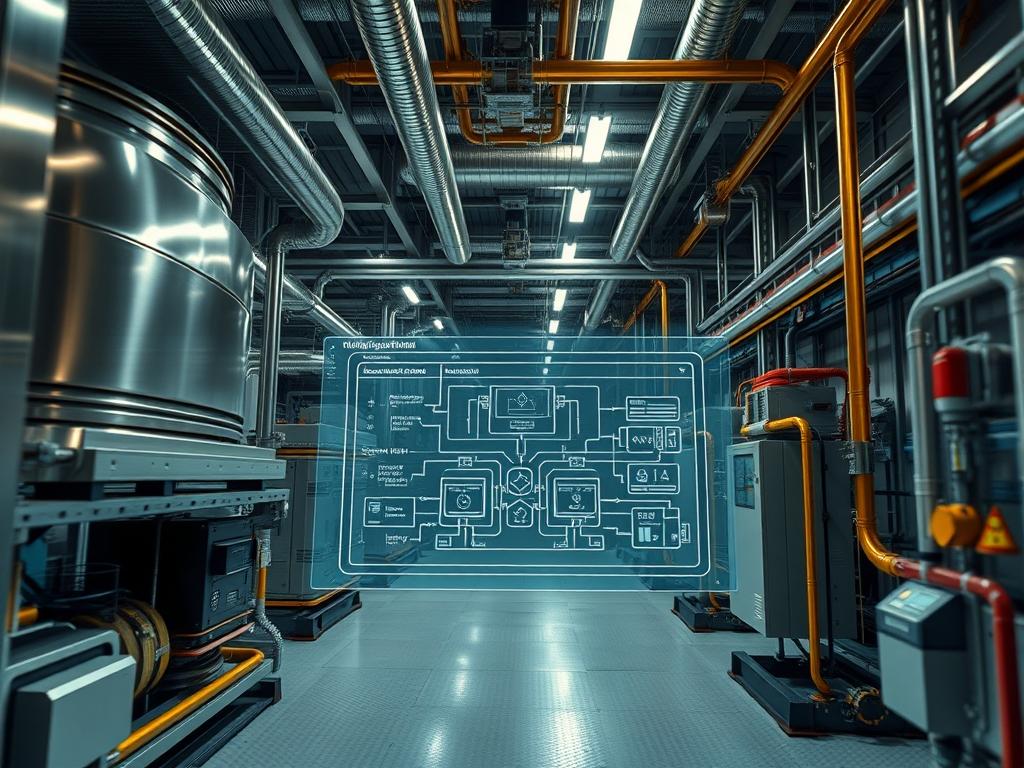
Ventilation Stack Effect Mitigation is a critical architectural and mechanical discipline focused on neutralizing the pressure differentials created by air density gradients within vertical structures. Within the technical stack of modern infrastructure; particularly in high-density data centers, energy-efficient high-rises, and industrial processing plants; this mitigation layer manages the movement of air driven by thermal buoyancy. When the internal temperature of a structure differs significantly from the external environment, the resulting pressure imbalance causes air to infiltrate lower levels and exfiltrate higher levels, or vice versa, depending on the season. This phenomenon, known as the stack effect, introduces significant energy overhead, increases cooling latency in server environments, and creates potential fire safety risks through the rapid spread of smoke. Effective mitigation involves a complex interplay of physical encapsulation, automated logic controls, and real-time sensory feedback to maintain a neutral pressure plane. By stabilizing this plane, architects and systems engineers ensure consistent throughput of treated air while minimizing the involuntary exchange of thermal energy with the external environment.
TECHNICAL SPECIFICATIONS
| Requirement | Default Port/Operating Range | Protocol/Standard | Impact Level (1-10) | Recommended Resources |
| :— | :— | :— | :— | :— |
| Pressure Monitoring | -100 Pa to +100 Pa | BACnet/IP (Port 47808) | 9 | NEMA 4X Enclosure |
| Damper Actuation | 0-10V DC / 4-20mA | Modbus RTU (RS-485) | 8 | 24V AC/DC Power Supply |
| Control Logic Latency | < 500ms Response Time | IEEE 802.3ad (LACP) | 7 | Quad-Core 2.0GHz / 4GB RAM |
| Airflow Velocity | 0 to 25 m/s | ISO 5801:2017 | 6 | Low-Resistance Ducting |
| Encapsulation Seal | < 0.50 L/s per m2 | ASTM E779-19 | 10 | Closed-Cell Polymer Foam |
| Thermal Sensitivity | 0.1 degree C Resolution | ITS-90 | 5 | Platinum RTD Sensors |
THE CONFIGURATION PROTOCOL
Environment Prerequisites:
Successful deployment of a Ventilation Stack Effect Mitigation system requires adherence to the ASHRAE 62.1 standard for ventilation and NFPA 92 for smoke control systems. The underlying control software must be hosted on a hardened Linux distribution, such as RHEL 9 or Ubuntu 22.04 LTS, with systemd for service management. User permissions must be scoped to the dialout and adm groups to allow for serial communication with hardware gateways and log inspection. Hardware dependencies include a centralized Programmable Logic Controller (PLC) and a distributed network of Differential Pressure Transmitters installed at the lowest, middle, and highest vertical points of the structure.
Section A: Implementation Logic:
The engineering design relies on the principle of minimizing the pressure gradient by creating logical and physical partitions within the vertical shaft. By treating each floor or zone as an isolated unit, we reduce the total height factor in the stack effect equation (P = rho g h). The implementation logic prioritizes the “Neutral Pressure Plane” (NPP) management. If the NPP shifts too high, the lower levels experience excessive infiltration, increasing the workload on HVAC coils and introducing particulate matter. By utilizing Variable Frequency Drives (VFDs) on exhaust and intake fans, the system can dynamically adjust the internal air density. This process is documented as idempotent; the system should reach the same steady state regardless of the starting internal temperature, provided the external variables remain constant. This reduces the thermal-inertia of the building mass over time, allowing for more agile responses to external weather shifts.
Step-By-Step Execution
1. Initialize Differential Pressure Array
Deploy Differential Pressure Transmitters at the Primary Building Entrance, the Mechanical Penthouse, and the Atrium Mid-Point. Connect these sensors to the Analog Input Module of the PLC. Verify the signal-attenuation across the long-run cabling by measuring the voltage drop with a fluke-multimeter at the terminal block.
System Note: This action establishes the baseline telemetry required for the kernel to calculate the current pressure slope. If signal-attenuation is too high, the PLC may misinterpret small pressure shifts as noise, leading to oscillation in fan speeds.
2. Configure Gateway Communication
Open the terminal on the Control Server and navigate to /etc/bms/gateways/. Edit the bacnet_config.yaml file to define the Device_ID and Network_Port. Execute the command sudo systemctl restart bms-bacnet-service to initialize the discovery of all downstream Dampers and VFDs.
System Note: Restarting this service rebinds the application to the network stack, enabling the encapsulation of Modbus payloads within BACnet packets for cross-subnet communication.
3. Calibrate Active Damper Positions
Access the Actuator Control Interface via the master console. Issue a force-open command to all Automated Fire/Smoke Dampers using the script ./calibrate_dampers.sh –all –mode=full-sweep. Monitor the Current Feedback Loop to ensure no mechanical obstructions exist.
System Note: The full-sweep command directly manipulates the hardware registers in the Logic Controller to verify that the physical asset’s range of motion matches the software’s 0 to 100 percent scaling.
4. Implement PID Control Loop
Define the proportional, integral, and derivative constants within the Thermal Management Engine. Set the variable TARGET_DIFF_PRESSURE to 0.05 IN WC. Apply the configuration using bms-cli –apply-logic –file=stack_mitigation.json.
System Note: The PID controller calculates the error between the desired pressure and the actual sensor payload. This minimizes the latency between a door opening at the ground level and the compensation of the rooftop exhaust fans.
5. Validate Encapsulation Perimeter
Use a High-Resolution Thermal Imager and Acoustic Leak Detectors to inspect all Elevator Shaft Doors and Stairwell Bulkheads. Apply High-Performance Gasketing where leaks exceed the ASTM E779 threshold. Use chmod 644 /var/log/bms/leak_test.log to ensure the audit logs are readable but protected.
System Note: Physical encapsulation is the most effective way to reduce the “h” (height) variable in the buoyancy equation. Sealing leaks directly reduces the total air throughput required by the system, lowering the energy overhead.
Section B: Dependency Fault-Lines:
The most frequent point of failure is “Sensor Drift,” where the Differential Pressure Transmitters lose calibration due to dust accumulation or moisture. This introduces significant throughput errors. Another bottleneck is the “Concurrency Limit” of the BACnet Gateway. If too many sensors attempt to push data simultaneously, the resulting packet-loss can cause the control loop to fall out of sync with the physical state of the building. Ensure that the Maximum Master property in the BACnet settings is tuned to the actual number of nodes on the segment to prevent excessive polling overhead.
THE TROUBLESHOOTING MATRIX
Section C: Logs & Debugging:
When the system fails to maintain the Neutral Pressure Plane, the first point of inspection is the systemctl status bms-logic-engine output. Look for “I/O Timeout” errors which indicate signal-attenuation or physical cable breaks in the RS-485 chain.
- Error Code E-042: “Pressure Differential Out of Bounds.” Check the Differential Pressure Transmitter at path /dev/ttyUSB0. Use tail -f /var/log/bms/telemetry.log to see real-time sensor readouts. If the values are static, the sensor diaphragm is likely seized.
- Error Code E-109: “VFD Feedback Latency.” This suggests the Variable Frequency Drive is failing to hit the requested RPM within the timeout window. Inspect the drive’s internal fault log via the Modbus Register 40001.
- Physical Cue: If exterior doors are difficult to open (suction) or fail to close, the stack effect is overpowering the mitigation system. Check for open Roof Hatches or unsealed Cable Risers that may have bypassed the encapsulation logic.
OPTIMIZATION & HARDENING
Performance Tuning:
To maximize the throughput of the mitigation system, implement “Predictive Feed-Forward Control.” By integrating an outdoor weather station sensor, the system can adjust damper positions before the internal temperature drops. This reduces the impact of thermal-inertia on the building energy profile. Ensure the Concurrency settings on the Logic Engine are optimized to allow for simultaneous adjustment of all vertical dampers within a 200ms window.
Security Hardening:
The BMS is a frequent target for lateral movement in network attacks. Isolate the Ventilation Control VLAN from the general corporate network. Use iptables to restrict traffic on Port 47808 specifically to the Control Server IP. Ensure all Field Controllers have their default administrative credentials changed and disable any unused physical ports (e.g., USB or JTAG) on the Logic Controllers.
Scaling Logic:
As additional floors or wings are added, the system must scale horizontally. Use a “Distributed Node Architecture” where each vertical zone has its own Sub-Controller. These nodes should report aggregate data to the Central Orchestrator using an asynchronous pub-sub model (such as MQTT) to minimize the payload size and prevent network congestion during high-traffic events.
THE ADMIN DESK
1. How do I reset a stuck damper remotely?
Use the bms-cli –reset-node [Node_ID] command. This forces a hardware reboot of the specific Actuator Controller, clearing the internal memory buffer and re-initiating the calibration sequence without affecting the rest of the network.
2. What is the ideal pressure for a server room?
Maintain a positive pressure of 0.03 to 0.05 inches of water column (IN WC) relative to the hallway. This prevents the infiltration of hot, unfiltered air and reduces the cooling latency for high-density server racks.
3. Why is the system over-correcting at night?
This is often caused by the high thermal-inertia of the building structure. Adjust the Integral Gain (Ki) in your PID settings to be less aggressive during periods with high indoor-to-outdoor temperature deltas to prevent oscillation.
4. How often should sensors be recalibrated?
Perform a formal calibration every six months. Check for “Zero-Drift” by venting both sides of the Differential Pressure Transmitter to the atmosphere; the reading must return to exactly 0.00 Pa within the specified tolerance.