
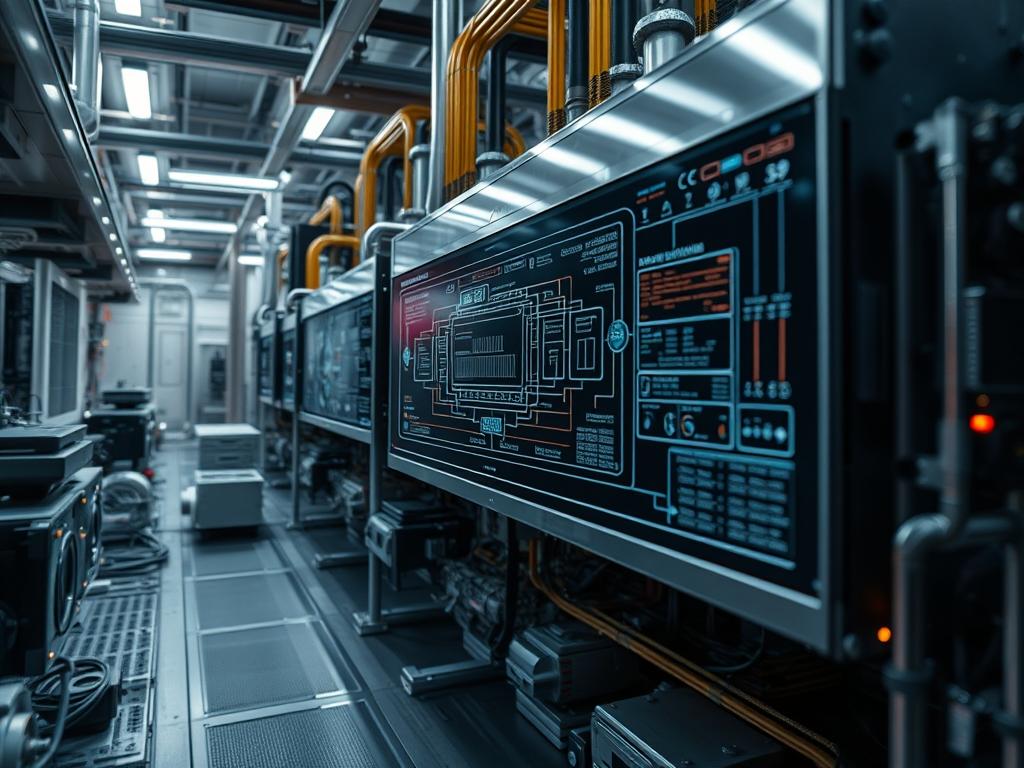
Passive Cooling Hardware Durability defines the capacity of non-mechanical thermal management systems to sustain peak heat energy dissipation across extended operational lifecycles without failure. Within the modern technical stack, specifically in Edge Computing and High-Frequency Trading (HFT) network infrastructure, the durability of these components represents a critical success factor for system uptime. Unlike active cooling solutions that rely on fans or pumps, passive hardware utilizes conduction, convection, and phase-change mechanisms to mitigate thermal bottlenecks. This guide addresses the “Problem-Solution” context where high throughput requirements often lead to thermal throttling; the solution is the implementation of high-integrity materials that possess superior thermal-inertia and corrosion resistance. By optimizing the selection of alloys and interface materials, architects can minimize the latency of heat transfer from the silicon die to the ambient environment. This ensures that the system maintains a steady-state temperature, preventing the catastrophic packet-loss or hardware degradation associated with volatile thermal cycles in dense server racks.
TECHNICAL SPECIFICATIONS
| Requirement | Default Operating Range | Protocol/Standard | Impact Level (1-10) | Recommended Material Grade |
|:—|:—|:—|:—|:—|
| Thermal Conductivity | 200 to 400 W/m-K | ASTM E1461 | 10 | C10100 Oxygen-Free Copper |
| Corrosion Resistance | 500+ Hours Salt Spray | ASTM B117 | 8 | Anodized Aluminum 6061-T6 |
| Interface Resistance | <0.10 C-in2/W | ISO 22007-2 | 9 | Indium-Based Solder / PCM |
| Structural Rigidity | 240 MPa Yield Strength | ASTM E8/E8M | 6 | AlSi10Mg Additive Alloy |
| Dielectric Strength | >10 kV/mm | ASTM D149 | 7 | Alumina (Al2O3) or AlN |
THE CONFIGURATION PROTOCOL
Environment Prerequisites:
1. Compliance Standards: Documentation must adhere to IEEE 1100 (Powering and Grounding Electronic Equipment) and ASHRAE TC 9.9 (Thermal Guidelines for Data Processing Environments).
2. Software Dependencies: OpenFOAM or Ansys Fluent for Computational Fluid Dynamics (CFD) modeling; lm-sensors or ipmitool for real-time thermal monitoring.
3. Permissions: Root access to IPMI (Intelligent Platform Management Interface) and physical access to the chassis for mounting validation.
4. Tooling: Digital Torque Wrench, Fluke-54-II Thermal Logger, and high-purity Isopropyl Alcohol (99.9 percent).
Section A: Implementation Logic:
The theoretical foundation of Passive Cooling Hardware Durability rests on the principle of thermal encapsulation. In a high-load environment, the payload of a processor consists of high-frequency switching tasks that generate localized heat spots. The engineering design must facilitate the rapid diffusion of this energy through a low-resistance path. We utilize materials with high thermal-inertia to buffer sudden spikes in energy production. By selecting materials with matched Coefficients of Thermal Expansion (CTE), we prevent mechanical stress at the interface layer. This structural integrity ensures that the thermal delivery remains idempotent; repeating the same thermal cycle does not change the physical state or efficiency of the cooling solution over time. Furthermore, minimizing the boundary layer overhead via precision-machined fin geometries enhances convective heat transfer to the surrounding air or coolant.
Step-By-Step Execution
1. Surface Analysis and Preparation
Execute a microscopic inspection of the Processor Integrated Heat Spreader (IHS) and the Heatsink Baseplate. Use isopropyl-alcohol to remove all factory-applied contaminants.
System Note: This action ensures the elimination of microscopic air pockets. Air has a thermal conductivity of approximately 0.026 W/m-K; removing it prevents the signal-attenuation of heat flow and significantly lowers the thermal resistance between the two surfaces.
2. Application of Thermal Interface Material (TIM)
Apply a thin, uniform layer of Phase Change Material (PCM) or Metallic Solder Interface to the center of the IHS. Ensure the TIM volume matches the calculated bond line thickness (BLT) specified in the hardware datasheet.
System Note: Correct TIM application manages the concurrency of heat transfer across the entire surface area. Over-application increases the thermal path length, while under-application leaves voids that lead to localized “hot spots” and potential silicon gate failure.
3. Assembly and Torque Calibration
Place the High-Durability Copper Cold Plate onto the CPU Socket. Using a cross-pattern sequence, tighten the M3 Mounting Screws with a calibrated torque-wrench to exactly 0.6 Newton-meters.
System Note: Standardizing the mounting pressure ensures the TIM spreads to its optimal idempotent thickness. Excessive force can cause micro-fractures in the motherboard substrate or the silicon die; insufficient force increases the thermal latency of the assembly.
4. Thermal Sensor Calibration
Initialize the sensors command to verify the detection of all onboard thermistors. Configure the ipmitool to log temperature data at five-second intervals.
System Note: This software-level hook allows the kernel to monitor the physical health of the cooling assembly. It provides the raw data necessary to calculate the thermal throughput of the system under varying computational loads.
5. Stress Testing and Baselining
Run a synthetic load using mprime or stress-ng for 48 hours. Monitor for thermal-trip errors or clock-speed throttling.
System Note: This step validates the durability of the material selection under worst-case scenarios. If the junction temperature (Tj) stabilizes below the target threshold, the encapsulation of the thermal load is considered successful.
Section B: Dependency Fault-Lines:
The most common failure point in passive cooling is “Galvanic Corrosion.” When Aluminum and Copper are used in proximity without proper plating (e.g., Nickel Plating), the difference in electrode potential leads to material degradation in humid environments. Another bottleneck is “TIM Pump-out,” where repeated thermal expansion and contraction push the thermal paste out of the interface, increasing resistance. To avoid this, specify High-Viscosity Siloxane-Based Rubbers or Graphite Pads for long-duration deployments. Physical obstructions in the airflow path can also cause a packet-loss equivalent in thermal dissipation: if the air cannot move, the passive system will saturate, leading to thermal runaway.
THE TROUBLESHOOTING MATRIX
Section C: Logs & Debugging:
When a thermal failure occurs, immediate log analysis is required. Review the dmesg output for “Machine Check Exception” (MCE) or “CPU Thermal Throttling” alerts.
- Error: “CPUn: Core temperature above threshold, cpu clock throttled”
* Action: Inspect TIM application. Use a fluke-multimeter with a K-type thermocouple to measure the delta between the Heatsink Fin Stack and the Baseplate. A delta greater than 15 degrees Celsius indicates a broken heat pipe or a failed phase-change vacuum seal.
- Error: “IPMI: Event 0x01 (Temperature Sensor) Critical High”
* Path: Check /var/log/ipmi/sel.log.
Visual Cue: Look for “discoloration” or “rainbowing” on the Copper Baseplate. This indicates the material has exceeded its safe operating temperature and may have undergone grain-structure changes, reducing its future thermal-inertia*.
- Physical Fault Code: H-04 (Mounting Tension Unstable)
* Action: Re-torque all Mounting Screws. Verify that the Backplate is not bowing. A bowed Backplate introduces air gaps that mimic high-latency network bottlenecks in terms of performance degradation.
OPTIMIZATION & HARDENING
Performance Tuning: To maximize thermal throughput*, employ “Fin-Density Optimization.” While high-density fins provide more surface area, they increase air resistance. In a purely passive (natural convection) environment, a fin spacing of 2mm to 3mm is often superior to a high-density 1mm spacing because it prevents “Boundary Layer Overlap.”
Security Hardening: From a physical security standpoint, ensure that all cooling hardware is secured with Tamper-Resistant Torx Fasteners. In multi-tenant environments, passive cooling components should be marked with UV-Reflective Serial Tags to prevent unauthorized replacement with lower-grade, third-party materials that could compromise the durability* of the host.
Scaling Logic: When expanding to high-density racks, implement “Cold Aisle Encapsulation.” By physically isolating the cold air intake from the hot air exhaust, the passive cooling hardware operates with a higher temperature differential (Delta-T), which exponentially increases its efficiency without increasing mechanical complexity or energy overhead*.
THE ADMIN DESK
1. How do I identify a failing heat pipe?
A functional heat pipe should have a uniform temperature across its length. Use a thermal camera or a fluke-multimeter to check the ends. If one end is cold while the other is hot, the internal liquid-to-gas vacuum has failed.
2. Can I use standard grease instead of PCM?
Standard grease is prone to “Dry-out” and “Pump-out” over months of operation. For Passive Cooling Hardware Durability, prefer Phase Change Materials (PCM). They provide better long-term idempotent performance by transitioning between solid and liquid states to maintain contact.
3. What is the significance of Nickel Plating?
Nickel Plating over Copper prevents oxidation and galvanic corrosion when in contact with aluminum or liquid metals. It ensures the thermal payload transfer remains efficient by maintaining a clean, non-reactive interface surface for the duration of the hardware’s life.
4. Does humidity affect passive cooling durability?
Yes. High humidity can accelerate corrosion on non-anodized surfaces. Use Anodized Aluminum or Nickel-Plated Copper to ensure that the environment does not lead to material pitting, which increases surface roughness and thermal latency over time.
5. How often should I re-apply TIM?
In a properly configured passive system using high-grade PCM or Indium Solder, the interface should remain stable for 5 to 10 years. Only re-apply if you observe a significant, unexplained increase in steady-state junction temperatures through sensors or IPMI logs.