
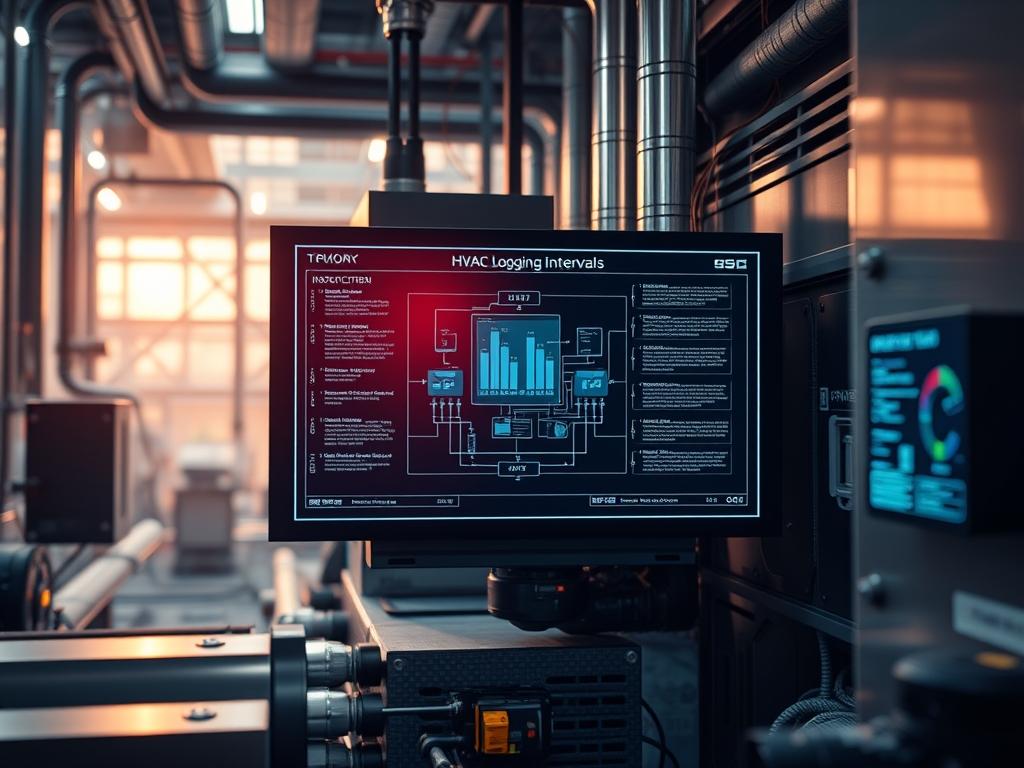
HVAC Data Logging Intervals serve as the temporal heartbeat of building automation systems; they define the granularity of telemetry captured from ambient sensors, variable frequency drives, and caloric meters. Within a sophisticated technical stack involving Energy Management Systems (EMS) and cloud-based analytics, these intervals gate the flow of raw data into actionable intelligence. The core challenge resides in the trade-off between signal fidelity and system overhead. High-frequency logging captures transient spikes and rapid mechanical oscillations but risks saturating network bandwidth and inflating database storage costs. Conversely, coarse intervals may fail to register critical equipment cycling or short-term environmental drifts; this leads to a loss of visibility into the thermal-inertia of the structure.
Effective management is essentially an exercise in balancing latency against persistence. By configuring idempotent polling routines that respect the physical limitations of the hardware, architects can ensure that the payload delivered to the data lake is both lean and comprehensive. This manual addresses the optimization of these intervals to maximize diagnostic detail while maintaining infrastructure stability.
Technical Specifications
| Requirement | Default Port/Range | Protocol/Standard | Impact Level (1-10) | Recommended Resources |
| :— | :— | :— | :— | :— |
| Time Synchronization | Port 123 (NTP) | IEEE 1588 (PTP) | 9 | < 1% CPU Overhead |
| Data Polling Rate | 1s to 3600s | BACnet/IP / Modbus | 8 | 512MB RAM dedicated |
| Storage Retention | 30 - 365 Days | SQL / NoSQL / TSDB | 6 | 100GB+ SSD Tier |
| Communication Bus | RS-485 / Ethernet | TIA-485-A / 802.3 | 7 | Shielded Twisted Pair |
| Security Layer | Port 443 | TLS 1.3 / DTLS | 10 | Cryptographic Chipset |
THE CONFIGURATION PROTOCOL
Environment Prerequisites:
1. Systems must run a Linux-based controller or a PLC with a kernel version of 5.10 or higher to support advanced asynchronous I/O.
2. Ensure that BACnet Stack version 0.9.0 or higher is installed and that the user possesses sudo or root level permissions for network socket manipulation.
3. NTP (Network Time Protocol) must be synchronized across all edge nodes to prevent time-drift, which causes jagged alignment in time-series databases.
4. Physical layer verification requires a fluke-multimeter to ensure the RS-485 bus terminates at 120 ohms.
Section A: Implementation Logic:
The engineering design for HVAC Data Logging Intervals hinges on the Nyquist-Shannon sampling theorem. To accurately reconstruct the behavior of a thermal system, the sampling frequency must be at least twice the frequency of the highest significant cycle. In HVAC environments, the thermal-inertia of large volumes slows down temperature changes; however, the electrical components (e.g., actuators and compressors) exhibit rapid state changes.
The logic employed here uses a tiered approach: high-speed polling for mechanical status (to detect short-cycling) and lower-frequency polling for environmental temperature (to conserve storage). By implementing a deadband filter at the edge, a system only commits a log entry when a value changes beyond a specific threshold. This reduces unnecessary payload volume while ensuring that critical throughput is not missed during active transitions.
Step-By-Step Execution
1. Initialize Controller and Gateway Communication
Access the primary logic controller via a secure shell and verify the status of the polling service.
ssh admin@192.168.1.50
systemctl status hvac-collector.service
System Note: This confirms the service is active and the underlying kernel is successfully managing the process threads for sensor communication.
2. Configure Local Serial and IP Parameters
Set the permissions for the communication ports to allow the data logger to interface with the hardware identifiers.
chmod 666 /dev/ttyUSB0
stty -F /dev/ttyUSB0 9600 cs8 -cstopb -parenb
System Note: Using chmod ensures the user-space application can write to the physical bus; adjusting stty aligns the baud rate and parity with the Modbus slave devices to prevent packet-loss.
3. Define the Global Interval Mapping
Open the configuration file located at /etc/hvac/logging.conf and specify the polling frequency for various point types.
nano /etc/hvac/logging.conf
Set TEMP_INTERVAL=300 (5 minutes) and POWER_INTERVAL=10 (10 seconds).
System Note: Modifying these variables directly impacts the frequency of the get_property requests sent over the BACnet stack; shorter intervals increase the concurrency requirements of the processor.
4. Implement Deadband Logic to Filter Noise
Adjust the threshold values in the sensing logic to prevent the logging of sensor jitter.
echo “0.5” > /sys/bus/iio/devices/iio:device0/in_temp_deadband
System Note: Setting a deadband at the kernel level or in the application logic prevents the database from being flooded with insignificant fluctuations; this optimizes the storage footprint without compromising the integrity of the thermal model.
5. Validate Database Ingestion and Buffer Status
Check the local buffer to ensure logs are being queued correctly before being purged to the permanent storage layer.
tail -f /var/log/hvac/ingestion.log
System Note: Monitoring the log stream allows the administrator to verify that the encapsulation of data packets is occurring without signal-attenuation or timeout errors from the field sensors.
6. Reset Service and Enable Persistence
Reload the daemon and restart the collector service to apply the new interval timing.
systemctl daemon-reload
systemctl restart hvac-collector
System Note: A full restart ensures that the configuration is re-read into the RAM and that any previous PID (Process Identifier) locks are cleared.
Section B: Dependency Fault-Lines:
Software conflicts typically arise when multiple services attempt to bind to the same BACnet port (47808) or when there is a mismatch in the versioning of Python libraries used for data parsing. A common bottleneck is the physical signal-attenuation on long cable runs; if the RS-485 bus exceeds 1200 meters without a repeater, packet-loss will skyrocket, rendering any configured interval useless. Storage exhaustion is another risk: if the interval is set too low without a corresponding data-pruning policy, the root partition may reach 100 percent capacity; this triggers a kernel panic or service failure.
THE TROUBLESHOOTING MATRIX
Section C: Logs & Debugging:
When a sensor failure occurs, the first point of reference is the system journal. Use journalctl -u hvac-collector -n 50 to identify specific error strings.
1. E_TIMEDOUT: This indicates that the controller sent a request to a sensor node but received no response within the allocated window. Check the physical wiring and the node ID settings on the sensor hardware.
2. IO_ERROR (Incomplete Frame): This usually points to electromagnetic interference (EMI) or a lack of proper shielding on the communication lines. Verify that the cable is not running parallel to high-voltage power lines.
3. CRC_MISMATCH: This signal-attenuation error suggests that the data was corrupted during transit. Inspect the 120-ohm termination resistor at the end of the daisy-chain.
4. DISK_FULL_ABORT: The logging service has stopped because the storage directory /var/lib/hvac/data has no remaining space. Implement an immediate rm of old temporary files and adjust the retention policy.
Visual cues on the hardware can also aid debugging: a rapidly flashing RX/TX LED on the gateway suggests high traffic or a possible broadcast storm. A solid red LED usually indicates a hardware-level failure or a power supply issue to the logic-controller.
OPTIMIZATION & HARDENING
Performance Tuning: To improve throughput, implement concurrency by increasing the number of worker threads in the configuration. Use a time-series database like InfluxDB or Prometheus; these are optimized for the ingestion of high-velocity environmental data. Compressing the data payload using the Zstandard (zstd) algorithm before transmission to the cloud can reduce bandwidth consumption by up to 70 percent.
Security Hardening: Secure the telemetry path by using a dedicated VLAN for all HVAC traffic. Apply iptables rules to restrict access to the BACnet port; only allow communication from known management IPs. Ensure that the chmod permissions for configuration files are set to 600, preventing unauthorized users from modifying the logging intervals or sensor offsets.
Scaling Logic: As the facility grows, transition from a single monolithic controller to a distributed edge-computing architecture. Use a message broker like MQTT to decouple the data collection from the processing layer. This allows the system to handle thousands of additional points without increasing the latency of individual polling cycles.
THE ADMIN DESK
How do I decide the ideal interval for a chiller?
Focus on the compressor cycle. If the chiller has a minimum run time of five minutes, an interval of 60 seconds is sufficient to capture its behavior. Anything faster captures electrical noise rather than mechanical performance.
What is the impact of a high polling rate on sensor life?
Passive sensors like thermistors are unaffected; however, active sensors or those using mechanical relays may experience premature wear if polled at sub-second intervals. Excessive polling also increases the thermal profile of the controller CPU.
Why is my database growing faster than expected?
Check if the deadband logic is disabled. Without a deadband, every minor fluctuation in the signal is recorded as a new entry. Also, ensure the interval is not accidentally set to milliseconds instead of seconds in the config.
How can I verify if a sensor is responding?
Use a tool like modbus-cli or bacnet-stack-utils to manually poll the device address. If the manual poll returns a valid hex string, the configuration error lies in the logging service, not the physical hardware or wiring.