
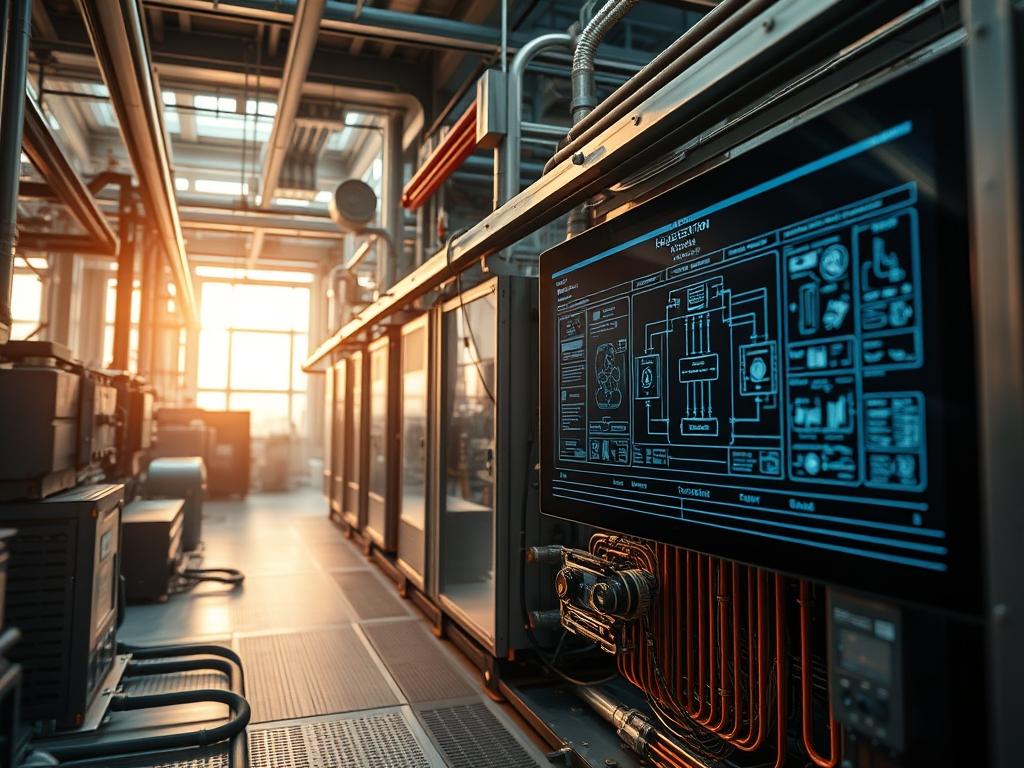
Energy Recovery Core Maintenance constitutes a critical operational pillar within hyperscale data center environments and industrial HVAC infrastructures; it serves as the primary mechanism for maintaining thermal-inertia efficiency while minimizing the energy overhead of fresh air intake. The core represents the physical boundary where sensible and latent energy exchange occurs between separate airstreams. Over time, the accumulation of atmospheric particulates, microbial films, and chemical residues creates a significant bottleneck in the thermal exchange process. This degradation manifests as increased static pressure and reduced moisture transfer efficiency; factors that directly impact the total cost of ownership (TCO) by forcing the primary fan arrays to increase their throughput to compensate for core resistance. Systematic maintenance ensures that the system operates within its designed thermodynamic parameters; preventing the cascading failure of the auxiliary cooling systems. This manual provides the high-level architectural logic and granular execution steps required to maintain peak efficiency in high-concurrency environments where uptime is non-negotiable.
Technical Specifications
| Requirement | Default Port/Operating Range | Protocol/Standard | Impact Level (1-10) | Recommended Resources |
| :— | :— | :— | :— | :— |
| Differential Pressure | 0.25 to 1.50 inWG | ASHRAE 62.1 | 9 | Magnehelic Gauge / Dwyer DM-2000 |
| Airflow Velocity | 350 to 650 FPM | ISO 16890 | 7 | Hot-wire Anemometer |
| Modbus Control | Port 502 / TCP | RS-485 / RTU | 6 | 1 vCPU / 512MB RAM (Gateway) |
| Cleaning Solvent | pH 7.0 – 8.5 | EPA/Safer Choice | 8 | Non-Ionic Surfactants |
| Sensor Accuracy | +/- 0.5 Degrees Celsius | BACnet/IP | 5 | NIST-Traceable Thermistor |
The Configuration Protocol
Environment Prerequisites:
Successful Energy Recovery Core Maintenance requires strict adherence to both physical and digital prerequisites to ensure the safety of the technician and the integrity of the data center stack. Ensure all NFPA 70E standards are met for electrical safety. The technician must possess Level 2 Administrator permissions within the Building Management System (BMS) to override automated logic controllers before beginning physical labor. Required software includes the Metasys UI or an equivalent Tridium Niagara workstation to monitor real-time sensor readouts during the procedure. Physically; a fluke-multimeter for voltage verification and a HEPA-rated vacuum with low-static nozzles are mandatory to prevent electrostatic discharge (ESD) in the vicinity of the core sensors.
Section A: Implementation Logic:
The engineering logic behind Energy Recovery Core Maintenance is based on the theory of encapsulation; where thermal energy is trapped within the core media and transferred without cross-contamination. As atmospheric air passes through the core, any particulate buildup increases the skin friction of the exchange surfaces. This friction translates to latency in the heat transfer process; causing the downstream cooling coils to work harder. We treat the core as a physical high-pass filter for energy. By restoring the surface area to its factory state, we reduce the overhead of the fan motors and optimize the throughput of the ventilation system. The logic follows an idempotent design where the maintenance routine, regardless of how many times it is performed, always returns the system to a known-good baseline without introducing new variables or misconfigurations.
Step-By-Step Execution
1. Pre-Maintenance Forensic Analysis
Examine the BMS dashboard to establish a performance baseline; specifically noting the supply-side and exhaust-side static pressures. Verify the PID-loop status for the economizer dampers to ensure they are not hunting or stuck in a transient state.
System Note:
This action creates a historical snapshot in the SQL-database for the HVAC system; allowing for a post-cleaning comparison of differential-pressure and delta-T metrics to validate the success of the procedure.
2. Physical Lockout and Safety Interlocks
Initiate the LOTO-3000 procedure to isolate the energy recovery unit (ERU) from the main power bus. Use a fluke-multimeter to verify that the Variable-Frequency-Drive (VFD) has fully discharged its internal capacitors.
System Note:
Disconnecting the power prevents the BMS-logic-controller from attempting to re-engage the fans during a maintenance window; an event that could cause physical injury or severe signal-attenuation in disconnected sensor leads.
3. Core Extraction and Media Inspection
Carefully remove the access panels and slide the energy recovery core out along its guide-rails. Inspect the desiccant-coating for signs of peeling or structural degradation.
System Note:
Removing the core disrupts the physical air-seal; the system will log a P014 (Static Pressure Low) error code. This is expected behavior and should be ignored until the maintenance cycle is complete.
4. Particulate Removal via Dry Vacuuming
Use a HEPA-filtered-vacuum to remove loose dust and debris from the intake face of the core. Direct the nozzle in the same direction as the airflow to prevent jamming particulates deeper into the media.
System Note:
This step reduces the payload of the subsequent wet cleaning phase; preventing the formation of mud which can permanently block the narrow air channels.
5. Aqueous Cleaning with Non-Ionic Surfactants
Apply a diluted solution of non-oxidizing detergent across the core surface. Allow the solution to penetrate the media for ten minutes but do not let it dry. Rinse with low-pressure water (under 30 PSI) to avoid damaging the delicate aluminum or polymer fins.
System Note:
The detergent interacts with the core at a molecular level to break down oily residues that increase thermal-inertia; effectively lowering the resistance to heat transfer.
6. Moisture Evaporation and Sensor Calibration
Dry the core using a high-volume, low-heat blower. Once dry; re-install the core and use a NIST-traceable thermometer to calibrate the onboard thermistors via the systemctl edit hvac-sensor-offset command in the terminal.
System Note:
Moisture left in the core can cause false humidity-spike readings; which may trigger the BMS to unnecessarily engage the dehumidification cycle; increasing energy consumption.
7. Post-Service Validation and Restart
Restore power via the LOTO protocol and restart the unit using the systemctl restart industrial-hvac-daemon command. Monitor the system for thirty minutes to ensure the CFM-output and static-pressure are within the newly defined operational baseline.
System Note:
A successful restart should show a reduction in fan energy consumption of 5 to 15 percent; depending on the initial state of fouling.
Section B: Dependency Fault-Lines:
The primary mechanical bottleneck in this procedure is the integrity of the gasket-seals surrounding the core. If the seals are not properly seated during re-installation; air-bypass will occur. This results in packet-loss of thermal energy; where the exhaust air mixes with the supply air; effectively neutralizing the benefits of the energy recovery system. Furthermore; if the Modbus-gateway is not properly shielded; electrical noise from the VFD can cause signal-attenuation; leading to erratic sensor readouts. Technicians must also be wary of outdated firmware in the logic-controllers; as older versions may not recognize the improved pressure metrics and may continue to run the fans at higher-than-necessary speeds.
THE TROUBLESHOOTING MATRIX
Section C: Logs & Debugging:
When a system failure occurs post-maintenance, the first step is to examine the log files located at /var/log/hvac/core_status.log. Look for error strings such as ERR_HI_STATIC_PX or COMM_TIMEOUT_502. If the system reports a high-pressure drop despite the cleaning; this suggests internal media collapse or an obstruction in the mist-eliminator upstream. Visual cues are also critical: check for “whistling” sounds near the access doors; which indicates a seal failure. If the BMS shows zero airflow but the fans are spinning; verify the Pitot-tube alignment; as these are easily bumped during core extraction. For digital errors; use the modbus-cli-tool to ping the registers. If the concurrency of the sensor responses is low; check the cabling for potential ground loops.
OPTIMIZATION & HARDENING
Performance Tuning:
To maximize the throughput of the system, implement a variable-speed control strategy based on real-time dew-point sensors. By adjusting the rotation speed of the energy recovery wheel or the bypass dampers of a plate heat exchanger, you can minimize the energy overhead during periods of moderate outdoor temperature. Fine-tuning the PID-loop gain settings in the BMS can reduce fan hunting; thereby extending the life of the motor bearings and the core itself.
Security Hardening:
The physical HVAC infrastructure is a known vector for lateral movement in cyber attacks. Ensure all BACnet gateways are behind a dedicated firewall and that the /etc/hvac/network.conf file restricts traffic to known MAC addresses of the control workstations. Physical access to the core must be logged; with all access panels equipped with magnetic reed switches tied to the security alarm system.
Scaling Logic:
As the facility grows; maintenance schedules should be transitioned from time-based to condition-based. Integrating the BMS with a Machine-Learning (ML) engine allows for predictive maintenance. By analyzing the rate of change in static-pressure relative to outdoor air quality (AQI) data; the system can automatically schedule the next Energy Recovery Core Maintenance window specifically when efficiency drops below a predefined threshold.
THE ADMIN DESK
Q: How do I clear a persistent “Filter Change” alarm after maintenance?
Access the terminal and navigate to /opt/hvac/bin. Run the command ./reset_runtime –component core_filter. If the hardware interlock is manual; you must depress the reset button on the DP-switch for five seconds to clear the local cache.
Q: The thermal exchange efficiency is lower after cleaning. Why?
This is typically caused by water retention in the enthalpy-media. The moisture increases the thermal-inertia and blocks the airflow channels. Run the supply fans at 100 percent capacity in bypass-mode for two hours to fully desiccate the core.
Q: Can I use pressurized air to clean the core faster?
High-pressure air (above 30 PSI) often causes “fin-fold”; where the heat-exchange surfaces collapse and permanently block airflow. This drastically reduces the throughput and increases the static-pressure. Only use low-pressure HEPA vacuuming or low-pressure aqueous cleaning.
Q: What is the most common cause of “Modbus Timeout” errors?
Signal-attenuation is usually the culprit. Check the shielding on the RS-485 cable and ensure that the 120-ohm termination resistor is correctly installed at the end of the daisy-chain. Verify the unit ID matches the configuration in the BMS.
Q: Is it necessary to recalibrate the sensors after every cleaning?
Yes. Removing the core changes the physical environment of the sensors. To maintain the idempotent nature of the system; recalibration ensures that the delta-T calculations used for the energy-saving reports remain accurate and trustworthy for the facility auditors.