
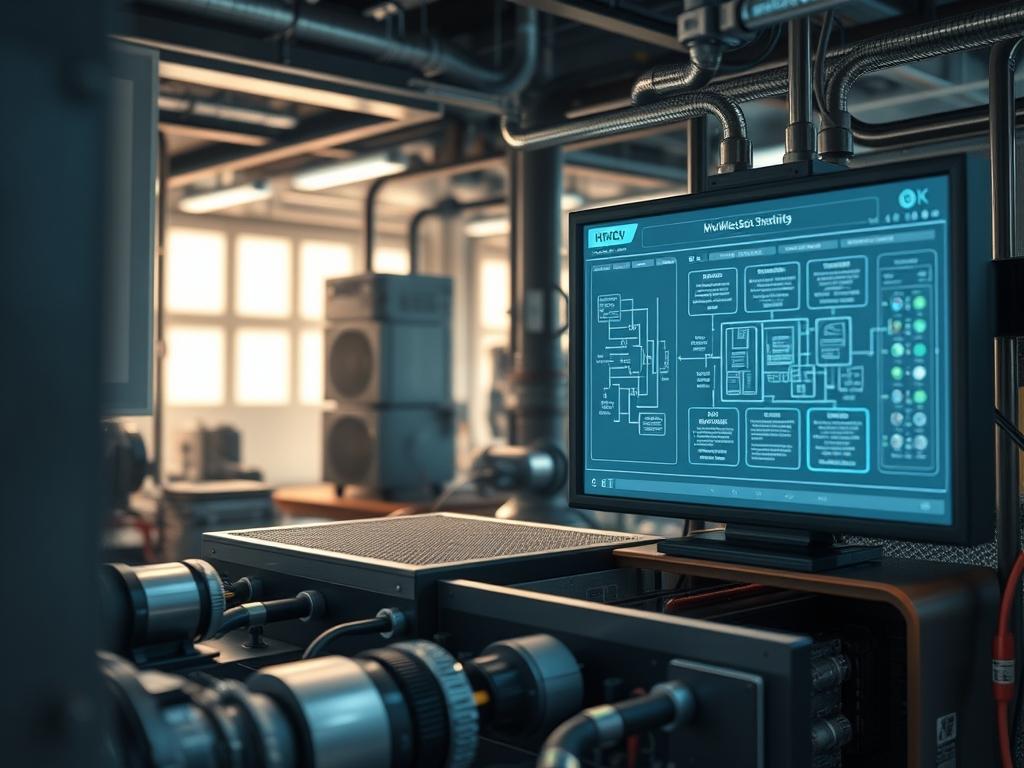
HVAC Wireless Signal Strength serves as the fundamental physical layer for modern building automation systems and industrial Internet of Things (IIoT) frameworks. In the context of large scale facility management; the stability of a wireless mesh determines the efficacy of energy distribution, air quality monitoring, and emergency response protocols. This technical infrastructure exists at the intersection of mechanical engineering and network communications; where the “Problem-Solution” context revolves around the degradation of RF signals in high-interference environments. Mechanical rooms, galvanized steel ductwork, and high-voltage electrical conduits act as significant barriers to packet delivery. When signal-attenuation reaches critical thresholds, the resulting latency prevents real-time adjustments to chillers and air handling units, leading to thermal-inertia imbalances. These imbalances cause the system to overshoot temperature setpoints; thereby increasing energy overhead and mechanical wear. Optimizing signal strength ensures that data encapsulation remains intact across the mesh, allowing for idempotent command execution and consistent thermal regulation across complex architectural footprints.
Technical Specifications
| Requirement | Default Port / Operating Range | Protocol / Standard | Impact Level (1-10) | Recommended Resources |
| :— | :— | :— | :—: | :— |
| Mesh Node Density | 2.4 GHz / 5.8 GHz Band | IEEE 802.11ax / 802.15.4 | 9 | 1GB RAM / ARMv8 Cortex |
| Signal Propagation | -30 dBm to -82 dBm | Zigbee / Thread / Wi-Fi 6 | 10 | RF Spectrum Analyzer |
| Network Encapsulation | Port 47808 (BACnet/IP) | UDP / IPv6 (6LoWPAN) | 8 | 1 Gbps Fiber Backhaul |
| Polling Frequency | 500ms to 5000ms | MQTT / Modbus TCP | 7 | Multi-core Logic Controller |
| Logic Execution | Local / Edge Gateway | Python 3.10 / C++17 | 6 | 4GB Flash Storage |
The Configuration Protocol
Environment Prerequisites:
Successful deployment requires firmware version 4.2.0 or higher on all edge gateways and sensor nodes. Physical installation must comply with NEC Class 2 wiring standards for low-voltage components. Administrators must possess root-level access to the local management console and have the kismet or aircrack-ng suite installed for initial spectrum analysis. All hardware nodes must support AES-128 encryption at the MAC layer to ensure payload integrity during transit.
Section A: Implementation Logic:
The engineering design of an HVAC mesh relies on the principle of redundant pathways to overcome signal-attenuation. Because HVAC environments are dominated by metallic surfaces that cause multipath fading; the implementation logic prioritizes spatial diversity. Nodes are positioned specifically to maintain a Fresnel zone clearance of at least 60 percent. This setup ensures that if a primary link suffers from high packet-loss due to temporary mechanical obstruction; the routing logic instantly recalculates the path via a neighbor node with higher RSSI (Received Signal Strength Indicator) values. This approach mitigates the risk of thermal-inertia buildup by ensuring that control signals reach variable frequency drives (VFDs) with sub-millisecond latency.
Step-By-Step Execution
1. Perform Site RF Mapping with Kismet
Initiate a comprehensive scan of the 2.4 GHz and 5.0 GHz spectrums using the command kismet -c wlan0mon. Scrutinize the environment for overlapping Basic Service Set Identifiers (BSSIDs) that may cause co-channel interference.
System Note: This action utilizes the wireless interface in monitor mode to capture raw frames; allowing the kernel to map the ambient noise floor before any hardware is permanently mounted.
2. Configure Node Inter-Connectivity via batman-adv
Load the Better Approach To Mobile Ad-hoc Networking (B.A.T.M.A.N.) kernel module using modprobe batman-adv. Assign each HVAC controller to the bat0 virtual interface to create a Layer 2 mesh network.
System Note: By operating at the MAC layer; the kernel treats the entire mesh as a single transparent switch; which significantly reduces the routing overhead associated with traditional Layer 3 IP-based mesh solutions.
3. Calibrate Transmission Power and Sensitivity
Execute iw dev wlan0 set txpower fixed 2000 to set the transmission power to 20 dBm. Follow this by adjusting the receiver sensitivity thresholds to ignore signals weaker than -85 dBm to prevent the node from attempting to maintain unstable links.
System Note: Explicitly defining transmission power prevents the “near-far” problem; where a high-output node inadvertently desensitizes the receivers of its closest neighbors; leading to localized throughput collapse.
4. Deploy Persistent Monitoring Services
Create a systemd service file at /etc/systemd/system/hvac-mesh.service to manage the lifecycle of the mesh daemon. Use systemctl enable –now hvac-mesh to ensure the service persists across reboots.
System Note: This step ensures that the wireless stack is initialized immediately after the network-online.target is reached; preventing local logic controllers from entering a fault state due to missing sensor telemetry.
5. Validate Signal Integrity with Iperf3
Run iperf3 -c [Node_IP] -u -b 1M to test the User Datagram Protocol (UDP) throughput between the master gateway and the most distant environmental sensor.
System Note: Measuring jitter and packet-loss under a simulated 1 Mbps load confirms that the mesh can handle the bursty nature of HVAC control traffic without dropping critical state-change packets.
Section B: Dependency Fault-Lines:
The most frequent failure point in HVAC wireless deployments is the “Hidden Node Problem,” where two sensors can communicate with the gateway but not with each other; leading to massive collision rates. Another mechanical bottleneck is the lack of proper grounding on metal enclosures; which can introduce electromagnetic interference (EMI) directly into the wireless chipset. If the kernel logs show a high frequency of “Beacon Loss” or “Disassociation” events; verify that the power supply units (PSUs) are not leaking AC ripple into the DC rails of the controllers.
The Troubleshooting Matrix
Section C: Logs & Debugging:
When diagnosing connectivity drops; the primary log source is /var/log/kern.log or the output of dmesg | grep wlan. Look for error strings such as “deauthenticated due to local choice (Reason: 3)” which often indicates a mismatch in WPA3-SAE handshaking.
| Fault Code | Physical Symbol | Probable Cause | Resolution Path |
| :— | :— | :— | :—: |
| ERR_SIG_LOW | Rapid Red Flash | Physical obstruction (ductwork) | Relocate node to 2m height; check antenna torque. |
| ERR_PKT_DRP | Solid Yellow LED | Co-channel interference | Use iwlist wlan0 channel; switch to non-overlapping freq. |
| ERR_LAT_HI | Slow Blue Pulse | Mesh congestion (too many hops) | Deploy a wired backhaul node in the affected zone. |
| ERR_AUTH_FL | Rapid Blue Flash | Mismatched PSK or Key rotation | Re-sync nodes via wpa_cli; verify time-drift. |
For deep-packet inspection; utilize tcpdump -i bat0 -vv to monitor the encapsulation of BACnet frames. If frames are being truncated; check the Maximum Transmission Unit (MTU) settings; mesh interfaces often require an MTU reduction to 1460 bytes to account for protocol overhead.
Optimization & Hardening
Performance Tuning:
To maximize concurrency and throughput; enable Airtime Fairness (ATF) within the wireless driver settings. This preventing legacy 802.11b sensors from monopolizing the radio medium. Additionally; adjust the min_signal_limit to force aggressive roaming; ensuring that mobile diagnostic tools used by technicians always associate with the strongest available access point.
Security Hardening:
Apply strict iptables or nftables rules to the gateway. Only allow traffic on Port 47808 (BACnet) and Port 1883 (MQTT) from known MAC addresses. Disable the SSH service on all edge nodes or move it to a non-standard port; and use chmod 600 on all sensitive configuration files containing network pre-shared keys.
Scaling Logic:
As the facility grows; transition from a flat mesh to a hierarchical cluster model. Use high-capacity 5 GHz links for the core “backbone” of the building and 2.4 GHz for the peripheral “leaf” sensors. This reduces the number of hops a packet must take; which lower overall latency and prevents the broadcast storm issues common in large-scale Layer 2 networks.
The Admin Desk
How do I identify which node is causing mesh lag?
Run batctl tr [Target_MAC] to perform a hop-by-hop trace. Look for high millisecond values between specific nodes; this identifies the bridge where signal-attenuation is highest. Inspect that specific location for new physical obstructions or interference sources.
Why does my signal strength drop when the chillers start?
High-voltage compressors generate significant EMI. This electromagnetic noise raises the noise floor; effectively lowering your SNR. Ensure all wireless components are shielded and positioned at least 3 meters away from high-ampere electric motors or VFDs.
Can I use standard Wi-Fi extenders for HVAC meshes?
No; consumer-grade extenders increase latency by half-duplex retransmission. Professional HVAC Wireless Signal Strength relies on true mesh protocols like 802.11s or batman-adv; which allow for simultaneous multi-path data transmission and self-healing routing logic.
What is the ideal RSSI for a stable HVAC controller?
A target RSSI between -50 dBm and -65 dBm is ideal. Anything lower than -75 dBm is prone to packet-loss during periods of high atmospheric humidity or physical activity; while signals stronger than -30 dBm can saturate the receiver.
How often should I rotate the mesh security keys?
For high-security industrial environments; automated key rotation should occur every 90 days. This is managed via the hostapd configuration or a centralized RADIUS server to ensure all nodes maintain synchronized access without manual intervention.